
213 KiB
2026-10-26
New version ProxMenux v1.2.7
ProxMenux 1.2.7 brings two new tools. Audit & Report, a new page under Admin in ProxMenux Monitor, documents a Proxmox node, assesses it against forty-three checks and prints the result as a report you can hand to somebody else, next to a journal of everything ProxMenux itself has changed on the host. OCI manager Apps, a new entry in the main menu, installs applications straight from their official container images as native Proxmox LXC containers, with no Docker engine anywhere: a catalog of 514 applications, multi-container applications such as Immich, Nextcloud and Paperless, hardware acceleration profiles, updates that keep the data, and recovery after a restore or on another host, all of it also managed from the Monitor.
Around them: a search in the main menu across ProxMenux options, OCI applications and Helper-Scripts, ProxMenux on Proxmox Backup Server, the backup jobs of VMs and CTs managed from ProxMenux, read-only API tokens that can only read, notifications written in the reader's language, Docker applications registered with their own identity, a disk history that follows each disk by its serial number, and a long list of improvements across backups, notifications, the Monitor, the installer and the translations, in eight languages.
This version gathers everything the 1.2.6.1 and 1.2.6.2 betas brought. A special thank you goes to @Vaso73, @f3rs3n and @jcastro. Between them they contributed more than a hundred pull requests during this cycle: real installations compared against their Docker originals, ProxMenux on Proxmox Backup Server, private registries and faster operations in OCI manager, corrections across the Monitor, backups and notifications, a review of hundreds of messages so that each one says exactly what happened, the documentation reviewed in every language, and the Slovak and Italian of everything new. Their testing and debugging are a large part of why this version is available.
🔎 Audit & Report — a new page under Admin
The page holds three views, and every one of them only reads: an assessment never modifies the host.
Assessment evaluates the node and lists what it finds. Changes shows what ProxMenux has done to it. Policy is where you declare what the host is supposed to be, which is what turns a description into a judgement.
The assessment
- Forty-three Proxmox-specific checks across backup, system, guests, security, storage, network and hardware. Among them: which guests no enabled backup job covers and how old the copies the destinations actually hold are; whether Proxmox Backup Server verified the newest copy of each guest; how the recorded backup runs ended; space and inodes on the filesystems the node itself needs; ZFS pool integrity and device error counters; software RAID and multipath redundancy; Ceph's own verdict; cluster quorum and the corosync links carrying it; high availability where quorum cannot answer; the EFI partitions that would start the kernel; essential services and units systemd gave up on; certificate validity; how SSH admits root; the update chain; and whether the channels that would notify you are themselves working.
- Every finding carries the evidence it rests on — the command output or configuration fragment — together with what the check examines and where the reading came from. Evidence is presented as tables and labelled values, with field names humanised and figures formatted by what they are: bytes as a size, hours as a duration, an instant as a date in your own locale.
- Six results, each with a definition it has to earn. Critical is an interruption or an urgent threat to availability, integrity or recoverability, with evidence. Warning is a verified degradation, an absent protection that was expected, or a declared policy that is not met. Observation is configuration, a limit or planning information. Conformant means the criterion was verified and met. Unverified means there was not enough information to conclude. Not applicable means there was nothing to evaluate.
- A check that could not be evaluated says what it could not read — the destination that refused the connection, the command that failed — beside the result rather than two collapsed panels below it. Missing evidence is never counted as a favourable result.
- Gravity belongs to the situation, not to the check. A storage at 90% capacity and an unreachable storage come from the same check and no longer share a severity; a finding takes the gravest of the objects it reports on.
- Accepted risks are recorded against a finding with a mandatory reason and an optional review period. The technical classification stands and the decision sits beside it, so a report still shows that a critical finding was accepted and by whom. When the period ends, the finding returns to the active set.
- An accepted risk can carry a review date without an expiry (#343, with @Vaso73): the decision stays in force and comes back to be looked at.
- The assessment describes its own effects accurately (PR #352, contributed by @f3rs3n), and the Lynis removal says what happened (PR #404).
- Lynis is read, not reimplemented. Its warnings keep their test identifiers and are collapsed to one row per distinct warning with the number of times it was raised. Where Lynis is installed but has no usable report, the assessment offers to run one before it starts, so the choice of paying that minute is yours.
- Findings store the identity of their message and its values rather than a rendered sentence, so a report reads in the language of whoever opens it.
Changes — what ProxMenux did to this host
The complaint that lands hardest against a tool like this one is not that it changes things: it is that afterwards nobody can say what it changed. Reading the script does not answer it either — a function of four hundred lines may alter two values, and the reader has no way to know which two.
- Three blocks answer the three questions an administrator actually asks: what the post-install left configured, which ProxMenux scripts wrote to the host and what each one changed, and which packages and utilities are now installed. Every entry names the script it came from, so a change traces back to the menu that made it.
- Only the change is shown.
optimize_logrotatereads asrotate 7→rotate 14, not as forty lines of shell. What was replaced is kept in a content store keyed by digest, so it survives somebody tidying/etc. - What was changed is separated from what was run. A function that rewrites a file authored that change; an upgrade launched from a menu did not — apt decided what changed. Both are recorded, in different classes, and the interface says so.
- How well the previous state is known travels with each entry: captured as it happened, captured on re-application to an already-modified host, or never captured because it predates the journal. Each entry also declares how exactly it could be undone — exact, partial, or not at all.
- Installations record the difference they made, not the name that was asked for: the packages that were absent and are now present, dependencies included.
- The journal shows the host as it stands now, not a log of every time a script ran. Re-running the post-install, moving between the stable and beta channels or reinstalling a utility updates the existing entry in place, origin state on one side and current state on the other.
- Recording never costs an operation. One small JSON file written whole into a spool the Monitor consolidates: no database, no Python, no network on the writing side. If the journal cannot be written at all, the change still happens.
- The customizable post-install is listed under its own option. Figurine, Fastfetch and the other options applied from that menu appear in the post-install section by their name, next to the ones of the automatic post-install.
- The journal has its own section in the printable report, which is where it defends a host.
Policy — declaring what is expected
- An assessment can see what a host does, not what it is for. Whether a guest needs a backup, whether a service must come back by itself, whether a storage is essential — none of that is discoverable, and guessing at it turns ordinary configurations into alarms. A host with nothing declared produces a complete report that describes rather than judges.
- Declaring is picking from what is there. Guests and storages are listed from this node's own inventory rather than typed in by identifier. Per guest: whether a backup is required, whether it is expected to start with the host, and a recovery objective in hours where the workload has one. Per storage: essential, optional, or nothing stated. Plus every threshold the checks measure against, each showing the shipped value as its placeholder — leaving a field empty keeps that value.
- Inheritance is explicit. Inherit shows the site default and removes the per-resource override; Not stated is stored as such, so it cannot silently reactivate an inherited requirement.
- An exempt guest stays visible, carrying the decision that removed it from the count: excluded by policy, which is a different thing from an accepted risk. The report also states which policy it applied, so two reports of the same host — one measured against stated expectations, one against none — no longer read identically.
What changed since last time
- An assessment now has a before. Any run can be marked as the reference, and every later one is read against it.
- Fixed is not the same as accepted. A finding that stopped being reported because the host changed and one that stopped because somebody accepted the risk both leave the list, and only the first is progress. They are counted separately.
- The comparison says which way a finding moved (#343, with @Vaso73): worse, better or held, in the view and in the printed report.
- A check that disappears is reported as no longer assessed, not as resolved: nothing verified that it stopped failing, only that it stopped being asked.
Reports
- A report answers one question, so the profile selects both the checks that run and the sections the document carries: Full audit, Inventory, Security review, Backup assurance, Capacity and wear and Quick diagnosis. Each focused report opens with its own posture header. Sections a profile did not ask for are absent rather than empty, so an omission is never read as a result.
- The document describes the node before judging it. Identity, cluster, architecture, disks, network, storage, guests, passthrough and managed software come first; the findings follow, because a finding about a bridge means little to a reader who has not been shown the bridge.
- Diagrams carry the relations, not the lists: processor and memory in their slots and what hangs off each controller; the path from the wire to each guest through adapter, bond, bridge; where guest disks live and which destination backs them up; cluster membership over the corosync links that join it. Every diagram is inline SVG, so it prints as vector and the document stays self-contained.
- Quick diagnosis carries only what is asking to be decided — the critical and warning findings with the evidence needed to act on them, and the readings that could not be taken. Every check still runs: a short report that skipped checks would be quick and untrustworthy.
- The inventory profile runs no checks at all, so a node that has never been assessed can still produce its structural document: memory module by module with slot, type, speed and part number; physical disks with model, serial, bus and SMART state; adapters with link speed, driver and PCI address; PCI passthrough with its IOMMU group; and network latency per target.
- The disks section carries the observation log — what happened over time, including events a disk recovered from, with type, severity, count and the first and last time each was seen.
- SMART, Lynis, latency and audit reports now share one shell: the same header, numbered sections, cards and callouts, and an icon-only action bar that disappears when the page is printed.
- Audit findings and printable reports fit narrow screens (PR #399, contributed by @f3rs3n).
- The whole page works on a phone. Dense tables stack into blocks where the heading travels with the value instead of scrolling sideways, controls take a row each below the small breakpoint, and the report opens as a real navigation so an installed web app keeps its own back and close controls.
📦 OCI manager Apps (Technology Preview) — official container images as native Proxmox LXC
ProxMenux does not build its own containers for these applications: it reads the published recipe of each one and turns it into a native Proxmox OCI LXC. OCI manager Apps carries the Technology Preview label that Proxmox VE gives to application containers from OCI images, until Proxmox VE marks them as stable.
The catalog
- 514 applications from LinuxServer.io, other public image repositories and recipes written for ProxMenux, in the same layout as the Helper-Scripts: a search, the full list, 29 categories and the installed applications. Every application carries its icon and the architectures its image supports.
- A ✓ marks what was tested for real. 43 applications read Verified: 41 tested in the ProxMenux lab, and PocketBase and Glances tested by the community, by @Vaso73. An issue form records a new test, and the tester is credited in
oci/VALIDATION.md. - Files & Sharing is a category of its own, with the sixteen applications that serve or synchronise files. Among them is ShareCoveX, a file server with a web panel that publishes directories over SMB, NFS or both, with Samba users and Time Machine destinations.
- An image that is not in the catalog can be installed too, from its Compose file, a
docker runcommand or its reference, with the result shown for review before any LXC is created. - An oci-compose written by hand can be installed. Install an image that is not in the catalog takes the JSON file an application is installed from: pasted in the terminal, read from the host or downloaded from an address. The file states the image, its ports, variables and volumes, and what the installation asks; ProxMenux completes the rest, checks it and names each error by its field.
oci/README.mddescribes the format block by block, with two examples inoci/examples/.
Installing an application
- The menus of OCI manager Apps number their options, as the rest of ProxMenux does, so each description has the whole width; a storage, a bridge or a device keeps its name.
- OCI manager Apps opens on Proxmox VE 9.1 or later, the first release that runs OCI images as LXC containers. On an older host it says so, with the installed version, before installing anything.
- The page of an application shows what it will create before anything is installed: its image, the address it will answer on, where its persistent data goes, the acceleration profiles it offers and, for a multi-container application, every container of the set.
- Two ways to install. The default one asks what every installation decides (storage, where its data goes, DHCP or a static address, how it starts) and takes the rest from the recipe. The advanced one opens every decision in order: VMID and resources, each data path with its location, storage and size, extra paths and devices, the network, the application settings, the GPU and how it starts.
- Every question says what it asks for, with an example or a proposed value. An application that needs a database or a Redis server that is already running, such as BookStack, NetBox or Manyfold, says so first, with the address of its image documentation.
- An application is not asked for its own address. BookStack, Healthchecks, Speedtest Tracker and NetBox are given the address of the container: the fixed one, or the one DHCP gives, obtained before the application starts for the first time.
- The data folders belong to the application. Downloads, series, music, books and backups are created for the user the application runs as, as a container volume or as a host directory, and a new volume starts with what the image holds at that path.
- FileBrowser Quantum opens the folder it is given. It starts with the configuration of its recipe, written for version 2 of the application, which serves the folder chosen in the installation. The starting file a recipe writes takes the place of the copy the image ships in a new volume, and never of a file that was already there.
- Images from private registries install and update (PR #460, contributed by @jcastro, and requested by several users). Registry accounts saves an account once the registry accepts it, and a registry that refuses an image offers to sign in on the spot. The accounts are kept in
/etc/pve/privfor every node of the cluster, and updates, the watchdog and the Monitor use them. - USB and serial devices are chosen from a list, by name and type, and every application accepts extra paths and devices in the advanced installation.
- Applications start with the memory they need: 1024 MB unless the recipe asks for more or sets a limit.
- The summary ends with what is needed to use the application: its address, and the user and password to sign in with. A service with no web interface, such as MariaDB, PostgreSQL or an SSH server, is given by its address and port.
- A mistyped value asks the same question again, a static address already in use on the network is not accepted, and creating the container shows its progress while a large image is unpacked.
- Images built from scratch with a numeric user install, such as ddns-updater: the container is created from a copy of the image that adds the
/etc/passwdand/etc/groupProxmox VE needs, and the application runs with the user and group the image declares. The downloaded image is kept as it was. - The downloaded image can be deleted when the installation ends, and images no installation uses are removed on their own.
Applications made of several containers
- One LXC per service, wired through a private bridge of their own and started in order. Immich, Nextcloud, Paperless and Tandoor have their own recipes, ten more come from their published Compose file, and the Arr suite installs each application as an independent LXC connected to the others.
- Immich asks what runs its video and its recognition: the CPU or each GPU of the host, together or split between two GPUs, with VA-API or NVENC for video and OpenVINO, ROCm or CUDA for recognition.
- The address offered is the one a browser can reach: the LAN address of the container, in the summary and in its Proxmox notes.
Hardware acceleration
- The acceleration menu offers only what the host can run: NVIDIA with the driver and the Container Toolkit, Intel or AMD where that GPU is present. The render node proposed is the one of that GPU.
- AI applications take the image built for the chosen GPU. Ollama gains an AMD (ROCm) profile, llama.cpp offers CPU, CUDA, ROCm and SYCL, and Faster Whisper and Piper offer NVIDIA.
- Frigate detects objects on an AMD GPU, an Intel NPU or a Coral (NPU and Coral suggested by @jcastro), and its CPU detector runs on AMD processors.
- ROCm is offered according to the generation of the AMD GPU, as an experimental option on the ones the image does not carry kernels for, and Immich checks the GPU with a real inference before accepting it.
Storage and shared directories
- A host directory that already exists can be opened to the application that shares it, with access rules (ACL) that leave the owner of the files as it is.
- A shared host directory shows what the host has mounted inside it: network shares, disks and ZFS datasets, also the ones mounted while the container runs.
- A shared host directory is recognised by its filesystem, so an application keeps being updated after the host restarts or a disk comes back under another device name (reported by Charly Silva).
- The installer proposes the place each application expects for a path: a library, a recording folder or the files Duplicati backs up are proposed on a host directory, and the user can still choose a container disk.
Updating, modifying and recreating
- An update replaces the image and keeps the data. The container is backed up, rebuilt from the new image and asked to answer before the operation is committed; if it does not, everything returns to how it was. Resource changes made from Proxmox are carried over.
- Every installed application can be updated and modified, privileged containers, host monitors and the applications of the Arr suite included.
- Modify changes the settings of an installed application; on a multi-container one it adds or removes extra paths and devices without rebuilding anything, and changes what runs recognition in Immich.
- A multi-container application can be rebuilt as it is (PR #423, contributed by @Vaso73). Recreate every container with its saved configuration rebuilds each container from the image it was installed with.
- Proxmox tags can be changed freely (PR #473, contributed by @jcastro): Update, Modify and Recreate keep the tags a container has, or none if they were removed, also on the containers of a multi-container application.
- A volume mounted read-only is left as it is when a container is rebuilt (PR #494, contributed by @jcastro), such as
/run/secrets; its files, owner and permissions are not touched. - An application that runs as a user its image does not list gets
/as its home (PR #496, contributed by @Vaso73), as Docker does, and the image's user file is read without following links. - Services that are not web pages update and recover like the rest: MariaDB, SSH or a speech server answer on their own protocol, and Update, Modify and Recover take that answer as the service being up.
- The backup of an operation can be made on another storage when it does not fit on the system disk, and an operation that has no room says so before anything is stopped.
- A damaged image download or working backup is written a second time before anything fails, and a failed update leaves no temporary container behind.
- A registry that fails for a moment is asked again, up to three times, before an update gives up, and a failure says why: the registry limited the requests, refused access, does not have the image or could not be reached.
- Modify is a menu of settings (PR #495, contributed by @jcastro): each row shows the current value, only the chosen setting is edited, and the changes are kept until they are reviewed and applied together, or discarded. Refreshing the catalog options is one more entry of the menu.
- Manage opens at once (PR #493, contributed by @jcastro): the configuration of each application is read again only when it changed, so a host with 26 applications goes from 15 seconds to a fraction of a second.
- Modify and Update open without waiting (PR #498, contributed by @jcastro): the space for the backup is checked once the operation is accepted, and Escape goes back at once.
- Modify changes the running container when it can (PR #497, contributed by @jcastro): CPU and memory apply live, and the network, variables, host paths and devices are changed in place, with a rollback if a step fails. Only what cannot be changed in place rebuilds the container.
- Variables changed in Proxmox are carried over. A password changed after the first login, or a variable added from Proxmox, is listed by name, without its value, and saved in oci-compose before Update or Modify continues.
- The downloaded image is offered for deletion only after a container was rebuilt from it, not after a change applied to the running container.
- The list of installed applications comes back after each operation, an update, a change or a removal, without reading every application again.
- An application that mounts a system path of the host, such as
/run/dbusin Home Assistant or/run/udevin Roon Server, is updated and modified like any other (#531, reported by @nortuzar).
Watchdog, backups and clusters
- An application can be put under watchdog. Proxmox has no restart policy; with the watchdog on, an application that stops on its own is started again, with a notification. A stop asked by the user, a backup, a migration or a ProxMenux operation is never undone.
- A multi-container application starts while one of its containers is being backed up. Its start waits until vzdump releases that container and then continues, and the watchdog waits as well. Updating ProxMenux brings the new start hook to the applications already installed.
- The watchdog restarts only the application it watches (PR #529, contributed by @jcastro): before starting a container it checks that it is still the installation it recorded, so a VMID reused by another container, such as the one that holds the disks during an update, is never started by mistake.
- The record of an application travels with its container. A copy lives inside it and another in
/etc/pve, so a vzdump or PBS backup always carries it. - A restored application is offered for recovery, on a new Proxmox installation, on another host or with another ID. The recovery puts back what the host kept for it, such as the private network of a multi-container application, and checks everything before the host is changed.
- In a cluster, the record follows the container. A migrated or HA-moved single-container application starts and is registered on the node it arrives at.
- A container that reboots itself keeps its DHCP address, as Home Assistant OS does from its settings.
Removing an application
- Everything the installation kept on the host goes with it and the result says whether anything was left undone (PR #402, contributed by @f3rs3n). Host directories are kept, and an application of the Arr suite is removed on its own.
Tested against their Docker originals (contributed by @Vaso73)
Real installations compared side by side with the same images under Docker, and what they brought:
- An image's initial data reaches its new volume (PR #394), as PocketBase needs.
- A host monitor is reached through the firewall, on request (PR #393, PR #395): Glances gets a narrow rule, confirmed separately and removed with the application.
- Stack members keep their data on a prepared volume (PR #410), including the data path of current PostgreSQL images.
- Stremio, Uptime Kuma and images that need a home directory start as they do under Docker (PR #411, PR #412, PR #413).
📱 OCI applications in ProxMenux Monitor
- The App tab registers what ProxMenux installed. The application of an OCI container is registered by itself with its name, logo, address and version tracking, read from the installation record, also while the container is stopped. Every service an application serves gets its own link, and a service with no web interface shows its address and port as text.
- An application installed from the menu shows in the Monitor on its own. The Apps page and the list of containers register it within seconds of the end of its installation, without opening its container.
- Updates are tracked by the image. The card shows the version of the application and the image it runs, with its build date and digest; a new image under the same tag is an update.
- The Updates tab updates and modifies the container. Update and Modify open the Monitor terminal on the same flow as the OCI menu. The backup taken before updating can be kept, image updates can be scheduled, a multi-container application is updated from its main container, and a restored application shows a Recover button.
- A new Logs tab shows what the application writes to its console, kept on the host from the first start: the last lines since the last start, followed live, with a filter and a download.
- The Proxmox console of an OCI container opens a shell, the equivalent of
docker exec, whenever the image ships one. - The Watchdog switch sits in the container modal, under Start at boot.
- An OCI operation sends one notification with its result, instead of one per step. Modify and the rebuild of a multi-container application have notifications of their own.
- The update icon of the Apps page opens the Updates tab of that container.
🔎 Search in the main menu
- The main menu opens with Search options and applications. A name or part of it finds an option of ProxMenux, an application of the OCI catalog or a Helper-Script, in that order, by name first and then by category.
- Every result opens what its name says: a script at its first screen, an application at its page, an option of the post-install or a system utility in its list with it already marked. Nothing is run by the search itself.
- The Helper-Scripts catalog is kept on the host and refreshed once a day, so the search also answers without a connection.
🧩 Helper-Scripts addons run where they belong
- An addon is run where its catalog says: on the Proxmox host, inside an LXC picked from a list, or wherever is chosen when it can be both. A stopped LXC is started on confirmation, and OCI containers are left out.
- Descriptions and notes are shown as plain text, and a script is downloaded whole before anything runs.
🗄 ProxMenux on Proxmox Backup Server (PR #467, contributed by @jcastro)
- ProxMenux installs on a Proxmox Backup Server with the same command as on PVE, and opens a menu of its own: version and packages, datastores, recent tasks, system utilities and a package update that shows its plan before applying it.
- The post-install menu works on PBS: Automated, Customizable, updates and uninstall, with the options that apply to a backup server. Without a subscription it offers the no-subscription repository before upgrading, and Community Scripts lists the Helper-Scripts PBS post-install and microcode.
- The Monitor of a PBS has the design of the PVE one: the same header, health and administration, CPU, memory and network charts from the history PBS keeps, a Datastores tab with the use of each datastore and the disks and pools of the server, and a Tasks tab with recent tasks and maintenance schedules. What only applies to PVE is left out, settings included.
- The maintenance jobs of a PBS show the state of their last run in its own Monitor too, read from the PBS API like a remote PBS.
- Log2RAM compresses rotated logs at once: the most recent rotated log no longer stays uncompressed in
/var/log, which on a busy PBS filled a 128M Log2RAM and stopped its tasks from being recorded. Hosts that already have Log2RAM or the logrotate optimization are offered the update in Settings → ProxMenux Optimizations. - A remote PBS can be watched from PVE in Backup → Proxmox Backup Server. Signing in with a PBS user and password creates a read-only API token for the Monitor and keeps only that token, or an existing token can be entered. The certificate fingerprint is checked before any credential is sent. The PBS servers configured as storage are offered with their address and fingerprint filled in, and a PBS installed on the same host is read directly, without a token.
💾 VM and CT backup jobs managed from ProxMenux (PR #421, contributed by @MattiaC46)
- The Backup tab of the Monitor has two views, Host and VMs and LXCs. The second one, and the Host Backup & Restore menu, list the scheduled jobs of Proxmox, the same ones as Datacenter → Backup, and create, edit, enable, disable, delete and run them through the Proxmox API.
- Run now starts a Proxmox task on each node that has a guest of the job. Changing a job needs an administrator session; a read-only API token can only list them.
💾 Backups and restore
- VM and CT backups can be selected and deleted from the Monitor (PR #461, contributed by @jcastro): up to 20 at a time, after a confirmation, through Proxmox itself. A protected backup cannot be selected, and a batch that includes one is refused whole.
- The retention of each backup storage is edited from the Monitor (PR #462, contributed by @jcastro): keep all, a number of backups per period, or the Proxmox default. Saving changes the policy in Proxmox and deletes no backup.
- Backup notifications say how the job ended (PR #406, contributed by @f3rs3n): clean, with warnings, failed or unconfirmed, naming the guest that failed, with long diagnostics kept readable. The recovery summary counts each guest once (PR #356).
- A backup started from the Monitor runs in its own systemd unit and continues whatever happens to the Monitor.
- A host backup works on a host with SELinux (#398, reported by @sbaghdadi) and keeps all of ProxMenux's host state under
/var/lib/proxmenux. - Every run of a host backup is notified (#425, reported by @sahartford): each run is sent when it ends, like a VM or CT backup, also on a channel with the daily digest enabled and with HTTPS enabled in the Monitor.
- A remote Borg repository authenticates with the key saved on its destination (#357, reported by @bartclone), offering only that key, and keeps its remote path as it was written.
- The host backup list shows this node's backups on a cluster (#445, requested by @Joshua1264): a This node / All nodes choice, with a count that follows it, sets apart the backups of other nodes kept on a shared PBS or Borg repository.
- A local host backup made by a job that no longer exists is marked as Former job (#446, requested by @Joshua1264), read from the job and node recorded with the backup. It is kept until it is deleted, and deleting it also removes its metadata file and log.
- A host restore is scheduled only once it is complete (PR #341, contributed by @f3rs3n): each restore is prepared in its own directory and becomes the pending one only when every step succeeded.
🔐 Node web certificate restore (#333, reported by @tropicaljoe)
- Host backups already preserved the node-local certificate pair; the post-boot restore now maps it from the source node to the current one instead of leaving Proxmox on its generated certificate.
- Before installing, ProxMenux validates the certificate, rejects encrypted or invalid private keys and confirms both public keys match; an incomplete pair leaves the current certificate untouched and adds a warning to the restore result. Installation goes through
pvenode cert set, followed by fingerprint and service verification, with a fallback to the previous certificate if that verification fails.
🟢 NVIDIA installer and GPU passthrough
- The NVIDIA Container Toolkit is installed with the driver. It is what lets a container see the host's GPU. It can also be put back on its own, and it is recorded in the Changes view of Audit & Report.
- The version picker offers the drivers that support the GPU and can build against the running kernel, and opens in about five seconds.
- A version is proved to build before the working driver is removed. One that does not build returns to the list with the current driver untouched, and the answer is remembered for that kernel.
- The result reports what the driver does: a driver that installs but does not drive the GPU is recorded as failed, with the kernel's own reason.
- Adding an NVIDIA GPU to a VM writes its VFIO rule again when it is missing (reported by kn): a host whose rule was removed by hand gets it back, and is asked to reboot, instead of being taken as already configured.
- Changing the mode of a GPU leaves its neighbours alone (#435, reported by @LucasR3C3). A GPU is its own function, the audio at its slot and the devices of its IOMMU group. On an AMD APU, a USB controller that shares the slot of the integrated graphics stays in the VM it was passed to when the GPU goes back to LXC mode or moves to another VM.
- Containers created from an OCI image stay out of the LXC menus that install into a container: driver propagation, Add GPU to LXC, Coral, disks and shares. Their devices and paths are changed from OCI manager Apps.
💽 Disks
- The observations of a disk belong to its serial number. A replaced disk starts with a clean history, the history follows a disk to another device name, and it is permanent: the same observation seen again adds to its count.
- Mechanical disks are left to spin down (#347, reported by @spectante). A rotational disk nothing is using is not read at all, the storage view says Idle or Excluded beside Standby, and Settings → Disk exclusions keeps a disk out of every scheduled read.
- The LVM checks leave excluded and idle disks alone (PR #464, contributed by @jcastro): while a disk is excluded, idle or asleep, the scan reads only the LVM physical volumes on the other disks, and its own reads do not keep a disk counted as busy.
- Disk formatting keeps what it promises to keep (PR #339, PR #340, contributed by @f3rs3n): removing signatures leaves the partition table alone, and the system disk is recognised through stacked LVM, RAID or ZFS.
- The storage summary distinguishes unavailable disk temperatures and qualifies the SMART status (PR #365, PR #372, contributed by @f3rs3n).
- A notice of smartd about its own configuration, or fstrim on a disk that cannot discard, is not reported as a failure.
- Volume mount points on block storage show their usage in the Mount Points tab.
🔔 Notifications
- Notifications in the reader's language (PR #348, contributed by @Vaso73): titles, bodies, channel labels and daily digests follow the language chosen for notifications, long Telegram messages are split without breaking their formatting, and the wording was reviewed by hand.
- Temperature and health alerts carry their values (PR #408, contributed by @f3rs3n): the reading, the threshold and the category in the reader's language.
- A cluster event notification says what happened (PR #403, contributed by @f3rs3n), with the original message from Proxmox.
- A cluster node that goes down or comes back is notified by its name (PR #444, contributed by @fklnc94), read from the membership changes corosync reports on the other nodes.
- A health problem that comes back is reported again (PR #443, contributed by @f3rs3n): a condition that was resolved and returns is a new episode, listed as active and notified once. Dismissals, also the permanent ones, stay as they were set.
- Apprise explains how to set up Slack and Matrix (PR #463, contributed by @jcastro), with example addresses and their documentation, and a recovery is sent as a success, in green, as on the other channels.
- The notification settings show the delivery history (#425, reported by @sahartford): the last 20 notifications with the result of each send, the error when one failed, and every run of the daily digest, also on days with nothing to send.
- Proxmox notifications arrive with HTTPS enabled on the Monitor, through a local listener that answers only the notification webhook.
- The Monitor leaves
/etc/pvealone while Proxmox restarts its cluster service (#427, reported by @shtefko). Notification settings are written only while/etc/pveis mounted and only when they change, their copies are kept with ProxMenux, and uninstalling the Monitor removes its target from Proxmox. - A log pattern is reported as persistent only while it keeps recurring (#386, reported by @Joshua1264).
- An alert dismissed permanently stays dismissed (reported by Maragath): for as long as the condition lasts, when it recovers and comes back, and when the suppression settings are saved, until it is re-enabled from Active Suppressions.
- Excluded storages stay out of the capacity alert (reported by @christiannieveslauz), and a storage that is filling up says how full it is.
- A private bridge with nothing connected is not reported as down.
- The field icons of a notification show in French too (PR #523, contributed by @f3rs3n), where a non-breaking space comes before the colon of each label.
- A health problem of a VM or CT names the guest, such as a QMP command that timed out during a backup, in its notification and in the Quiet Hours summary, and a recovery shows its category by name, such as VMs and containers, in the reader's language.
- The AI rewrite works with the current Claude models (PR #530, contributed by @MaEscalanteHe): the Anthropic list moves to the 5.x family with Claude Haiku 5.5 recommended, and a model that declines or answers with no text leaves the original notification to be sent.
- The AI rewrite works with the current OpenAI models (PR #532, contributed by @MaEscalanteHe): the list moves to GPT-5.x and GPT-6 with GPT-6 Luna recommended, and each model gets the parameters it accepts. A saved model that leaves the list is replaced by the recommended one, with a notification.
- The AI model lists were reviewed against each provider: Gemini adds 3.6, 3.7 and 3.8 Flash, Groq adds GPT-OSS 120B, and the Groq and OpenRouter models no longer served were removed.
📦 Grouped application update notifications
- An automatic check now produces one complete notification instead of one message per application. Pending updates are grouped by LXC and keep the application name plus the installed and available versions, so a quieter inbox does not cost you the detail.
- A scan with a single pending application keeps the individual notification, and explicit checks you make yourself stay individual. The existing App update available setting controls both forms, and per-application exclusions are still respected.
🧭 Cluster-owned guest health notifications
- LXC rootfs and VM filesystem capacity are evaluated only by the node that currently owns the guest, so several Monitor instances in a cluster no longer record and notify the same condition independently. Guest Agent disk refreshes follow the same boundary.
- A guest that moves between nodes is retired quietly on the previous one. A migration is not reported as a recovery; the new owner is responsible for the current condition.
⚙️ Attributable kernel diagnostics
- A kernel diagnostic is reported by the line that explains it. Kernel warnings, blocked tasks, lockups, protection faults, oops and memory-safety diagnostics now name the diagnostic type, process and component when present, and carry the journal excerpt around them — instead of a bare
Call Trace:marker that identifies nothing and could count one incident twice. - Kernel warnings and diagnostic traces have their own per-channel switch, and hidden burst summaries inherit the category of the event they summarise, so silencing one event also silences its
+N more.
📮 Notification delivery
- Events buffered during Quiet Hours are released when the window closes, and the release is recorded like any other delivery, so it appears in the history and the counters rather than arriving on the channel with no trace. The buffer is cleared only once the channel confirms delivery, so an overnight window is never discarded for a summary nobody received.
- The 24-hour digest is composed and delivered the same way.
- Pending ProxMenux optimization updates re-fire on Monitor restart alongside every other update report, so a host carrying optimizations it never applied surfaces them again after an update or a reboot. Each version is still announced once per service lifetime.
🔐 Read-only API tokens only read (reported by @f3rs3n)
- Every API action that changes something requires a full-admin token: controlling guests, starting backups and SMART tests, running scripts, editing the firewall, Fail2Ban or SSL, and managing 2FA and API tokens. A read-only token keeps reading dashboards and metrics, and the session of the interface works as before.
- Reading health data requires a token once authentication is set up, and every Health Monitor route that changes something requires a full-admin token.
/api/system-infostays public for external probes such as Uptime Kuma. - Opening a Monitor terminal and disabling authentication require a full-admin token. Both the terminal-ticket route and the authentication-disable endpoint are guarded by the same admin-scope check the other privileged routes use, and the terminal WebSocket still accepts only a fresh single-use ticket — now issued exclusively to full-admin callers.
- Reading a stored credential back in cleartext requires a full-admin token too. The settings page masks every stored secret, and the one route that returns a value — the eye toggle beside a field — is guarded the same way. A read-only token issued to a monitoring integration reaches none of them: the GitHub token, the Telegram bot token, the mail password, the AI provider keys, the Discord webhook. A session login carries full-admin implicitly, so the toggle behaves as before for whoever is using the interface.
- The API token dialog now asks which scope to mint. Read-only is the default and is enough for dashboards and metrics; full-admin is there for integrations that drive the Actions API, and the dialog says plainly what each one can reach.
- The GitHub API card names the token it needs: that token exists only to raise the anonymous rate limit when checking upstream versions of registered applications, and every call made with it reads public data, so a fine-grained token with read-only access to public repositories and no account permissions is enough.
🐳 Docker applications — one identity, one update state
- Applications running inside Docker can be registered in the App tab with their own name, logo, web links and installed version, while their updates stay linked to the Docker image. They no longer appear twice in Updates: Portainer, Arcane and their equivalents keep their App entry, and the image row carries the versions.
- Available versions can be read from image metadata in Docker Hub, GHCR and other compatible registries when the image publishes a usable version label — which describes what the selected tag would install, not necessarily the latest upstream release. Digest-based detection remains available when no label can be read.
- Installed versions follow the image the container actually uses, including after recreation or when a pulled image has not been applied yet, and image aliases are matched to the workload's configured reference.
- Image metadata resolves in the background without holding up the inventory, and App and Updates share the result.
Thank you to @byGarcia for the implementation, verified detectors and detailed testing in PR #337 and PR #338, building on the collaboration in discussion #206.
Docker web links in the App tab
- The VM and LXC inventory stays available while Docker data warms up. A Docker inventory can exist before its optional application record is loaded, and that state is now an empty app list rather than an empty guest list.
- Stopped Docker workloads keep their registrable links. Discovery reads a container's persistent published-port configuration when the live mapping is empty, so a stopped Compose service such as HandBrake, MakeMKV or MKVToolNix keeps its detected name and host port ready for registration.
- Docker LXCs retain every useful candidate: named mappings keep their application, icon and published ports, while listening ports that belong to no mapping — host-network containers, native services in the same LXC — remain available as one-click suggestions, without duplicating a port a named mapping already covers.
- Adding a detected link stays added. Link insertion and the delayed catalogue-category response update the editor independently, so the category lookup can no longer restore a snapshot from before the insertion.
- Discovery remains suggestion-only: you choose which published ports actually expose a web interface and save only those.
🖥 ProxMenux Monitor
- The node name in the header opens other Monitors: the nodes of the cluster, the configured PBS servers and nodes added by hand, each with its state. Each Monitor keeps its own sign-in. Arriving from another one offers, in one dialog, to add it and the Monitors it links, so after visiting each node once every Monitor can reach all of them. A Proxmox Backup Server without a Monitor is shown as its web interface, a PBS installed on the node itself opens on the address in use, and the node form follows the edit-mode style of the other forms.
- The terminal of a container that cannot be entered says why and closes: an image that has no shell, as PeaNUT's, is pointed to its Logs tab, and a stopped container shows the reason Proxmox gives.
- The web terminals send Ctrl+D from their Ctrl menu, which ends a text pasted in the terminal, such as a Compose file or an oci-compose in OCI manager Apps, also from a phone or a tablet. A single Ctrl+D ends the paste, also right after its last line.
- A VM or LXC edited from Proxmox shows its current settings the next time its modal opens: start at boot, tags, cores, memory, network and mount points.
- An LXC changed outside the Monitor shows its current data (PR #441, contributed by @Vaso73): a new DHCP address, a setting edited in Proxmox while its modal is open, and the operating system of a restored or reinstalled container. The Updates tab marks a result older than 48 hours as outdated, and the card keeps showing the number of pending updates.
- A guest that is destroyed takes its App tab with it: its registered applications and scheduled updates are forgotten, also when it was removed while the Monitor was stopped, so a new container that reuses the VMID starts empty. An OCI update, which recreates its own container, keeps them.
- Updating a stopped LXC keeps its result (PR #447, contributed by @Vaso73): its packages and applications are read before it is stopped again, so the Updates tab shows what was installed and what is still pending. A run that never got to start the container keeps the previous result.
- An LXC update keeps running when the browser session ends (PR #527, contributed by @Vaso73): the update runs as a job of the Monitor, so closing or reloading the page leaves it running, and after signing in again its output is shown from where it was. Ctrl+C still cancels it.
- Checking and installing LXC packages are separate steps (PR #448, contributed by @Vaso73): Check system packages refreshes the package indexes of a running container and counts what is pending without installing anything, and installing needs a recent successful check. A stopped container is asked to be started first and keeps its last result with its date.
- A scheduled update leaves a stopped LXC stopped (PR #456, contributed by @Vaso73): the run is skipped and the Updates tab says why, while the container is still stopped and afterwards. An update started by hand still starts it.
- Find applications recognises applications installed by hand in an LXC (PR #492, contributed by @Vaso73): systemd and OpenRC services, processes and listening ports of programs under
/opt,/srv,/usr/localor a home directory are proposed with their evidence and version, and registered after confirming them in the editor. - JDownloader opens on HTTPS and Prowlarr shows its first-run address (PR #506, contributed by @Vaso73), as their images serve them.
- Snapshot backups of OCI applications work on ZFS (PR #514, contributed by @jcastro): the files an image ships where a data volume is mounted are kept aside in the container, so ZFS can mount each snapshot during a vzdump. They are kept, never deleted, also after an update or a recreation.
- OCI applications start after a direct Proxmox restore (PR #507, contributed by @Vaso73): the empty
lost+foundthat a restore creates on each data volume is removed before the application starts, also when ProxMenux recovers a running container. - The OCI menu shows which applications have an update and updates the ones selected (PR #504, contributed by @jcastro): «Check for updates» asks ProxMenux Monitor, which checks every application at once and keeps the result the App tab shows; each selected update goes through the usual review, backup and recovery, one after another, with the number of each one on screen while its container is checked.
- The App editor finds the real icon of a local application (PR #503, contributed by @Vaso73): «Find icon» reads the web port chosen inside the running container, from the container's own network, and keeps a cleaned copy that still shows while the container is stopped. The image is decoded by an unprivileged process.
- Find applications also lists Docker containers with published ports (PR #505, contributed by @Vaso73): each one can be registered with its web address and scheme already filled in, and registering never configures updates.
- Find applications on a stopped LXC says why it cannot search (PR #501, contributed by @Vaso73): the search needs the container running, and the cards and evidence found before are kept.
- The power buttons of VMs and LXCs finish when Proxmox does (PR #449, contributed by @Vaso73): start, shutdown, reboot and stop follow their Proxmox task, also for guests managed by HA, and the guest is released for other actions when it ends.
- The VM and LXC search finds a container by any of its addresses (PR #385, contributed by @Vaso73), and the card shows how many more it has.
- Available updates on the overview follow the host (#359, reported by @ash34), whichever way the packages were installed.
- The Proxmox update log says what was updated (#358, reported by @ash34), and the list of packages is shown before the update is accepted.
- A dismissed remote mount warning stops counting in the health status (PR #453, contributed by @wolly6973): a stale or read-only NFS/CIFS mount, on the host or inside an LXC, can be dismissed from its row in Health, and the overall status returns to healthy.
- Docker containers pinned by digest stay in the inventory (#206, reported by @byGarcia), marked Pinned to a digest and never offered an update.
- LazyLibrarian and PeaNUT join the LXC application catalog (with @pdafoto); LazyLibrarian is the first entry tracked by commit.
- The name of the node is read without waiting for the Proxmox API (#438, reported by @sponger544), in the Monitor and in its storage check, so a host where
pveshanswers slowly is not asked for it on every request. - Secure Gateway shows the same update state on the Security page and in the Updates tab of its container.
- Typing a number in a script terminal keeps the session open.
- The RAM Critical threshold set in Settings applies to the RAM check.
/api/healthreports the installed ProxMenux version, and the Prometheus disk metrics are exported in bytes, as their names say.- A backup started from a VM or LXC notifies according to the notification settings, the same as any other backup; its dialog no longer has its own notification menu.
- Each notification channel keeps its own AI rewrite, and a detailed email attaches the original message only when the AI rewrote it.
🛠 Explicit application updater selection (feedback from @SystemIdleProcess)
- Registering an application no longer enables an updater on your behalf. Choose and save Helper-Scripts or Custom command before running an update; version tracking stays independent of that choice.
- Each application owns its choice, including in LXCs with several applications, and a custom command replaces that application's helper rather than running both.
- Editing shows the command that will actually run — the detected launcher or your saved custom command. Modifying a helper launcher switches to Custom command so your edits are used by manual, bulk and scheduled runs; leaving it untouched keeps the official method.
- A failed or empty updater download stops before execution, so an empty shell command can no longer be reported as a successful update.
- Information dialogs explain both options, link to each application's documentation and source, and include examples to adapt — which never fill in or execute anything by themselves.
🔍 VM and LXC list — instant search and updates filter (PR #334, contributed by @Vaso73)
- A search box that matches across name, ID, guest type, tags, PVE note, IP address and registered application names. Multiple terms narrow together and the match ignores accents, so
nuriafindsNúriaandvirtualnyfindsvirtuálny. - An Updates filter isolates the LXCs with pending work — OS packages, registered applications and Docker images all count towards its badge — and its state is remembered per device.
- Searching by guest type works in every Monitor language:
contenedor,conteneur,contenitore,contêiner,kontajnerandContainerall find the LXCs on the node.
🗂 LXC mount points — targets written with a trailing slash (PR #336, contributed by @Vaso73)
- A bind mount configured as
mp=/path/is recognised as mounted. Proxmox accepts the trailing slash while the container's mount table reports the path without it; both spellings now resolve to the same mount point. The path stays on screen exactly as written in the container configuration. - The same match applies to ad-hoc detection, so a configured mount is no longer listed as an unmanaged one created inside the container.
🔎 LXC application version detection — runtime-verified detectors (PR #332, contributed by @Vaso73)
- A bundled override set ships inside the Monitor with detectors proven against real containers, and it takes precedence over the remote catalog. It is deliberately not fetched remotely, so an installed Monitor cannot pull an older entry that would resurrect a stale marker over a detector already verified.
- Legacy helper markers become a fallback rather than disappearing, so containers installed with older layouts keep a valid version source while newer installs read the application's own binary, package or file.
- Traefik is the first application on-boarded to the new set, and Changedetection.io joins the catalog this cycle (suggested by @SystemIdleProcess in discussion #306).
- A successful custom-command update marks the reported version unverified, so the refresh that follows re-reads the live version instead of re-affirming the old one.
📦 Readable LXC package updates (#342, reported by @ash34)
- Package names are no longer sacrificed to long Debian version strings. Each pending package keeps its complete name on its own line, followed by the installed and available versions in separate, equally sized columns.
- Long names and version identifiers wrap inside the panel instead of truncating or overflowing, and the security marker stays attached to its package.
🔐 Password change with two-factor authentication
- Changing the Monitor password works with and without 2FA enabled. With two-factor authentication on, the form asks for the current authenticator code or a backup code and sends it with the change. Missing or invalid fields are rejected as validation errors.
- An already-open browser tab can still complete a password change after the Monitor is updated.
🐍 Portable Python runtime for HTTPS and WebSockets (#331, reported by @f3rs3n)
- The Monitor AppImage carries isolated gevent runtimes for both CPython 3.11 (Proxmox VE 8) and CPython 3.13 (Proxmox VE 9), and
AppRunselects the matching tree from the host interpreter before starting Flask — restoring the intended gevent HTTPS/WSS server on every supported Proxmox VE generation. - Native dependencies are pinned and packaged deterministically, and every build imports the bundled stack with real 3.11 and 3.13 interpreters before publishing.
📊 Shared historical metrics on slower hosts (reported by Rafael Fernández Díez)
- CPU, memory and network charts share one in-flight query per time range, with the default 24-hour view warmed in advance and a bounded budget per query.
- A temporary failure keeps the last valid snapshot with its retrieval time and a translated stale-data notice, and charts recover on their own without replacing a newer range with an older response.
🔄 Consistent application versions across App and Updates (reported by Nicolas Ortuzar)
- Registered LXC applications use one shared, file-versioned snapshot for the App tab, Updates and the modal cache, so the App tab can no longer show an older available version or check date than the notification you just received.
- Open App cards receive version-state changes through the existing data feed, without new polling, and a background refresh leaves unsaved editor fields untouched.
📦 Installer, updates and post-install
- The installer shows its steps, not apt's output, and a host without a subscription installs without apt errors on screen. Duplicate repository declarations are commented out.
- Dependency checks keep the configured Proxmox repositories (PR #407, contributed by @f3rs3n): the switch to no-subscription is offered, not applied, and it is recorded in Audit & Report.
- pigz keeps working after a gzip update (PR #414, PR #415, contributed by @pbr85): gzip is diverted instead of replaced, and its compression level is applied. The journal helpers report a copy that cannot be written (PR #417, PR #418).
- The Bashrc customization never loses what is already there (PR #515, contributed by @f3rs3n): a rerun keeps incomplete or nested blocks as they are, and the new file replaces the old one in a single step, so a failed write leaves it untouched.
- Each optimization is described by what it does (PR #517, contributed by @f3rs3n): Log2RAM, kexec, AMD, the guest agent and the backup limits no longer promise what their functions do not provide.
- A VM is created only from a complete ISO (PR #458, contributed by @f3rs3n): the image and the VirtIO drivers are published only once fully downloaded, a failed download stops before the VM is created, and the Debian 13, Rockstor and OpenMediaVault images point to their current sources.
- The Synology loaders download and unpack again (PR #459, contributed by @f3rs3n): the M-shell selector takes the Alpine image the publisher now provides, and a failed download or extraction stops before the VM is created, keeping the previous image.
- FygoOS joins the NAS systems of Create VM. ProxMenux downloads the latest installer published on fygonas.com and prepares the VM with the same wizard as TrueNAS or OpenMediaVault: UEFI without Secure Boot keys, the storage plan and the optional GPU.
- The Cloud-Init VM installers of Helper-Scripts run again (PR #457, contributed by @f3rs3n): Arch Linux, Debian and Ubuntu use the maintained scripts, which ask for the release themselves, and a failed download stops with an error before anything runs.
- A system update stopped by a repository of another Proxmox version names it: the message says which Proxmox VE or Ceph repository is for another Debian suite, in which file, and that it is disabled in Node > Updates > Repositories.
- The PVE 8 → 9 upgrade stops when the plan would remove
proxmox-ve(PR #349, contributed by @f3rs3n), and a failed index refresh is reported as one. - Post-install reads the host's memory in any language (#353, reported by @linux-fertxo), and Log2RAM 1.6 sizes itself from it.
- Log2RAM 1.7 keeps the newest records of the journal (reported by @f3rs3n). Its sync no longer leaves an old active journal file on disk, so after a reboot journald starts a new sequence and removes its oldest archives first. Hosts with Log2RAM are offered the update; it takes effect from the next reboot.
- An update of several optimizations shows only its steps, whichever post-install flow each one comes from.
- The automated post-install tunes firewall bridges after the udev rules of systemd, as the customizable one does (contributed by @Vaso73). Hosts with the network optimization are offered the update.
- A ZRAM swap profile in the customizable post-install (PR #450, contributed by @phyrexia): a compressed swap in RAM, a tenth of its size, used before the swap on disk. It leaves any other ZRAM setup alone, can be reverted from Uninstall Optimizations, and the Memory card of the Monitor shows its use and compression ratio.
- Figurine 2.1.1 installs the build for the host (PR #465, contributed by @jcastro): amd64, arm64 or ARMv7. Hosts with Figurine are offered the update.
- Fastfetch keeps its system modules on current releases (PR #355, contributed by @f3rs3n).
- The Proxmox VE 8 to 9 upgrade keeps the guests running while it prepares the host and stops if the Proxmox VE 8 update fails or is cancelled, before any repository is moved to Trixie. Without a subscription, the enterprise repository that pve-manager 9 adds during the upgrade is left disabled. The unattended option starts the upgrade, and the interactive mode installs grub-efi-amd64 without waiting on a hidden prompt.
- Uninstalling ProxMenux leaves nothing under its installation directory, and Show version information counts jq installed from GitHub as installed. The release channel is called «canal de versiones» in Spanish.
- The help menu adds
qm unlockandpct unlock, and choosing the CT users option no longer runs the previous command again. - Menu texts with a leading or trailing space are translated, such as the prompts and the back option of the help menu, in every script.
- The storage commands of the help menu scan an NFS server for its exports with a valid
pvesm scan nfscommand, andpveupgradeis described as the interactive package upgrade it starts. - Uninstalling the post-install optimizations removes the open-file limits it set, in systemd and in the root profile, and the Log2RAM check runs every 10 minutes at low priority in both post-install modes.
- Adding a GPU to a VM lists the devices that share its IOMMU group when it includes devices from another slot, which the VM receives together with the GPU, before the summary.
- The NVIDIA installer keeps the NVENC patch state of the installed driver, so the version menu recognises a patched driver.
- The AMD fixes say when a CPU does not need them (#519, reported by @rollingafull): an AMD processor that is neither EPYC nor Ryzen is recognised as AMD and left unchanged, with a message that says so.
🧰 Safe migration of historical Bashrc customizations (#328, reported by @f3rs3n)
- The Bashrc customization migrates the exact unmarked block written by ProxMenux v1.1.3 and earlier — and the historical variant that wrote its markers literally — into one canonical block, instead of appending a second copy of the prompt, history settings and aliases.
- Detection requires the complete ProxMenux signature and leaves incomplete marker ranges untouched, so unrelated customizations are never removed. The selected short or full prompt path survives the migration, and atomic replacement keeps the original permissions and ownership.
🛡 Log2RAM updates without interrupting the active journal (#327, reported by @f3rs3n)
- Existing installations use an in-place ProxMenux migration instead of re-running the upstream installer, whose reinstall path removes both backing directories and temporarily leaves journald without its active
/var/logmount. - The update preserves the configuration, sync interval, active tmpfs mount and running services, replacing only the files ProxMenux manages. First-time installations defer activation to the reboot the post-install flow already asks for.
🌀 Post-install prompts appear on their own line
- Each step closes its progress spinner before the next question or menu is drawn, so a prompt such as the Log2RAM install choice is shown on a clean line instead of over a still-turning indicator.
🌍 Languages and wording
- Messages say exactly what happened (contributed by @f3rs3n). A review of the menus, the backup, storage, Samba, Rclone, scheduler and OCI messages so that each one is a complete sentence that can be translated as a whole and claims only what was verified: PR #363, PR #364, PR #367, PR #368, PR #369, PR #370, PR #371, PR #375, PR #384, PR #389, PR #390, PR #397, PR #400, PR #401.
- Terminal command descriptions in every language (PR #351, PR #354, contributed by @f3rs3n; PR #362, contributed by @Vaso73).
- Italian (PR #422, PR #424, PR #426, PR #429, PR #432, PR #437, PR #516, PR #522, contributed by @f3rs3n) and Slovak (PR #391, PR #396, PR #430, PR #431, PR #436, contributed by @Vaso73) cover everything new in this version, written by people who speak them.
- Slovak of everything new, in the Monitor and the terminal (PR #508, PR #509, PR #510, PR #511, PR #512, PR #513, contributed by @Vaso73): PBS connections and status, linked nodes, host backup, ZRAM and PBS post-install, OCI manager, the application editor and the optimization source viewer. Their errors are shown in the reader's language, a cancelled OCI update or modify says it was cancelled, and the same texts are complete in the other six languages.
- German of the Monitor reviewed by a native speaker (PR #455, contributed by @detlefs): mistranslated terms corrected and the wording made consistent across the interface.
- A translation that exists is never replaced. The translation builds only write where there is nothing, keep lists as lists and protect the names that are not words:
nouveau,initramfs,vfio-pci, Debian release names and the rest. - Swedish can be chosen when installing ProxMenux, and every translation keeps commands and names intact (PR #475, contributed by @jcastro): an offline check rejects a translation that changes a command, a path, a variable or a placeholder, in the menus and in the documentation, and the texts that did were corrected in every language.
- Monitor labels corrected in German, Swedish, Portuguese and French: the Port field, the 2FA buttons, the name of the backup codes and the European Portuguese words for user name, password and force stop.
- The Spanish of the Monitor and the menus follows one style: the reader is addressed as tú, buttons and menu options use the infinitive, and the vocabulary is that of Spain (pulsar, introducir, añadir, the key Intro). Backup, snapshot, host, pool and slot stay in English, and several mistranslated texts were corrected. The guide for translators describes it.
- The Spanish of the menus and of the OCI catalog was rewritten by hand, and the 28 catalog categories are written by hand in every language.
- The offline test suites cover every shipped locale (PR #380, PR #381, PR #383, contributed by @f3rs3n).
- The Monitor is complete in Slovak, Audit & Report included (PR #329, PR #330, PR #344, PR #345, contributed by @Vaso73). Application categories are translated for display while the catalogue's own values stay untouched for filtering, so search matches whichever of the two you type.
- The remaining texts of the dashboard and the menus are translated (PR #470, contributed by @jcastro), and adding a new message no longer breaks the translation tests (PR #469).
hostandclusterread as themselves in every language, in labels and in prose alike, each language using the term its own catalogue already established.- The network interface panel counts packets again: errors and dropped packets are named for reception and transmission instead of being translated as ordinary sentences.
- Numbers are formatted in the reader's language, and the running state reads as a state rather than as the physical act of running, in German, Spanish, French, Italian, Portuguese and Swedish.
- Weekday names in scheduled updates resolve correctly, and VM and LXC power actions follow Proxmox's own Spanish wording: Apagar for the graceful action, Parar for the forced one.
📚 Documentation
- The website documentation was reviewed in all seven translations (PR #476, PR #477, PR #478, PR #479, PR #480, PR #481, PR #482, PR #483, PR #484, PR #485, PR #486, PR #487, PR #488, PR #489, PR #490, PR #491, contributed by @jcastro): installation and reference pages, post-install, VM creation, disks, storage sharing, networking, backup and restore, security, settings, utilities, the Monitor, OCI manager, command references, practical guides and the GPU and Coral guides.
- OCI manager has its own documentation: what it installs and how, the catalog, multi-container applications, updates and recovery, the oci-compose format and its use from the Monitor, with diagrams and screenshots.
- The contributors page thanks the people behind each release: those developing, reviewing, translating and testing ProxMenux today, and those who helped it take its first steps.
🙏 Acknowledgments
- @Vaso73 — the side-by-side testing of OCI applications against their Docker originals and the fixes that came from it, the rebuild of multi-container applications from their saved state, notifications in the reader's language, Find applications for services installed by hand and for Docker containers, the VM and LXC search and updates filter, the runtime-verified detectors, the update results of stopped containers and the power controls that follow their Proxmox task, the Audit & Report review dates and comparison, LXC updates that keep running when the session ends, and the complete Slovak of the Monitor and the terminal.
- @f3rs3n — the review of hundreds of messages across the menus, backups, storage and OCI manager, backup, health, temperature and cluster notifications, the disk formatting and host restore safeguards, the repository and PVE upgrade checks, the Synology loaders, the Bashrc and Log2RAM migrations, the API token scope report, the portable Python runtime, the test suites, and the complete Italian of this version.
- @jcastro — ProxMenux on Proxmox Backup Server, the private registry accounts of OCI manager Apps, a hundred and sixty-seven curated catalog applications (PR #520, PR #521, PR #524, PR #525, PR #526), the watchdog check of the installation it restarts (PR #529), faster Manage, Modify and Update, Modify applied to the running container, update checks from the OCI menu, snapshot backups on ZFS, Proxmox tags kept across operations, Figurine for every architecture, the Slack and Matrix guide for Apprise, the retention of backup storages, the deletion of guest backups, LVM checks that respect disk exclusions, the translation checks, the remaining translations and the review of the documentation in every language.
- @byGarcia — Docker application registration and image version tracking, with verified detectors and lab testing, and Docker images pinned by digest.
- @MattiaC46 — the VM and CT backup jobs.
- @SystemIdleProcess — the explicit updater selection design and the Changedetection.io detector.
- @detlefs — the review of the German of the Monitor.
- @pbr85 — the gzip diversion for pigz and the journal helpers.
- @phyrexia — the ZRAM swap profile and its metrics in the Monitor.
- @MaEscalanteHe — the current Claude models for the AI rewrite.
- @fklnc94 and @wolly6973 — the cluster node notifications and the dismissal of stale remote mounts.
- @pdafoto, @gabglus, @dave100fuegos and @WRCAs — the applications suggested for the OCI catalog and their tests, and the LazyLibrarian and PeaNUT detectors.
- @shtefko, @Joshua1264, @sbaghdadi, @ash34, @bartclone, @spectante, @linux-fertxo, @sponger544, @LucasR3C3, @tropicaljoe, @rollingafull, @sahartford, @christiannieveslauz, Maragath, Charly Silva, Nicolas Ortuzar and Rafael Fernández Díez — the reports behind the
/etc/pvehandling, persistent log errors, host backups with SELinux, the update count and log, remote Borg repositories, disk spin-down, post-install on any locale, the node name on slow hosts, GPU passthrough on AMD APUs, the certificate restore, the AMD fixes, backup notifications over HTTPS, storage exclusions, permanent dismissals, shared host directories, host backups on a cluster, backups of former jobs, the notification history, application version consistency and historical metrics on slower hosts.
Feedback is welcome in Discussions or as an issue.
For the full history of changes, see Releases.
2026-09-02
New version ProxMenux v1.2.6
A focused release that restores AI Assistant support for OpenAI-compatible endpoints hosted on private IPs, loopback and Docker networks, aligns the Secure Gateway wizard with the host's real architecture, and consolidates several improvements landing on develop: atomic notification delivery, custom SSH ports for Borg remote targets, an optional GitHub API token for app version tracking, and richer replication failure notifications.
🛠 AI Assistant custom OpenAI endpoint — LAN / Docker / localhost URLs
- Custom OpenAI-compatible endpoints reachable on private IPs, loopback or Docker networks (LiteLLM, LM Studio, LocalAI, vLLM, OmniRoute, self-hosted proxies…) are now accepted by the Notifications API when loading the model catalogue and validating the AI configuration.
- The dropdown surfaces the reason returned by the server (or the underlying network error) directly under the Load button, so misconfigurations are visible instead of silent.
- Translated into every Monitor language.
Reported in #325 by @jorgeffonte.
🛠 Secure Gateway wizard — LXC template matches host architecture
- Alpine template download filters
pveam availableresults by the host's architecture (viadpkg --print-architecture, falling back touname -m), so an x86_64 Proxmox host receives theamd64template and an arm64 host receives thearm64template. - Local template selection applies the same architecture filter when reusing a previously downloaded Alpine template.
pct createis invoked with an explicit--arch <host>so the container metadata matches the host's real architecture.
🔔 Atomic notification delivery
- Notification events reserve their deduplication fingerprint atomically before AI processing and channel delivery, so concurrent collectors, completion callbacks or accidental parallel Monitor processes cannot send the same event twice.
- The reservation is shared through SQLite, expires safely if an execution is interrupted and is released when no channel succeeds, preserving retries after temporary transport failures.
🗄 Borg remote target — custom SSH port
- The Add Borg destination dialog in the Monitor and the shell TUI (
menu→ Host Backup → New Borg target) accept a custom SSH port. The default stays at22; any value between 1 and 65535 is embedded in the persistedssh://user@host:port/pathURL. BORG_RSHhonours the custom port at backup time, so scheduled jobs and manual runs reach the correct port.- The auto key install flow (
generate-auto) targets the custom port too. - Fully backwards compatible with existing
borg-targets.txtentries created without an explicit port. - Capacity probes over SSH also honour the custom port, so the Available badge stays accurate on non-standard ports.
Reported in discussion #236 by @songochain.
🎯 App version tracking — optional GitHub API token
- Settings → GitHub API accepts an optional personal access token for release and tag checks when GitHub's anonymous quota is exhausted.
- The token is encrypted at rest, is never returned to the browser and can be replaced or removed independently of the Notifications service.
- The anonymous GitHub flow remains the default; a token is not required while the shared quota is available.
- The rate-limit error points to the actual setting and is translated in every Monitor language.
Reported in discussion #306 by @SystemIdleProcess.
🔁 Replication failure notifications — complete job context
- Native Proxmox replication webhooks resolve the replication job ID, affected VM/LXC ID and guest name before rendering the notification.
- The exact error block supplied by Proxmox is preserved as the reason, including multiline failures, with the complete message retained as a safe fallback when the block is absent.
- Replication notifications are identified by their complete job ID, keeping failures from different replication jobs independent during deduplication.
Reported by Ale R.
For the full history of changes, see Releases.
2026-09-01
New version ProxMenux v1.2.5
This release turns LXC application management into a first-class Monitor feature. The new Apps dashboard consolidates the node's web endpoints, while Easy Updates lets the user check and apply operating system, application, Docker Engine and Docker image updates independently. ProxMenux v1.2.5 also ships a detection catalog with more than 380 applications, the Monitor in eight languages, customisable navigation order and substantial improvements across host backup, automation, system health, hardware and post-install.
🚀 Apps — one launcher for the node's services
- New top-level Apps tab with every web link registered inside LXCs and the user's own custom links.
- Search, categories, sorting and shortcut back to the related LXC or VM modal.
- Custom links cover services hosted inside virtual machines, external endpoints, reverse proxies or any URL the user relies on.
- Docker applications appear as services of the engine that hosts them, rather than as separate native LXC apps.
- Icons, categories and states adapt to the selected theme and language.
🔄 Easy Updates for LXC
- The Updates tab clearly separates OS packages, each registered application, Docker Engine and each Docker project or image.
- Methods compatible with Proxmox VE Helper-Scripts, including old and current containers, are recognised automatically when a valid updater exists.
- Manually installed applications can carry custom version detectors and update commands.
- New Bulk update: the user decides which applications, Docker Engine and Docker projects go alongside the mandatory OS update.
- Services belonging to the same Compose project are updated in a single operation to avoid repeated recreations.
- Docker image checks rely on the registry digest, follow the 24-hour cycle and can also be forced through Check now.
- Results are kept in cache and refreshed after saving an application, completing an update or any guest start / stop / restart / restore event.
🎯 Application detection catalog
- New catalog generated from the real LXC scripts of
community-scripts/ProxmoxVE, pinning a specific commit so every generation is reproducible. - More than 380 applications covered through dpkg / apk package, binary, file-with-regex, Python distribution and Docker detectors.
- Alternative detectors and verified paths recognise both modern installs and historical layouts.
- Name, official website, default port, category and logo can be filled automatically and remain editable.
- The Find applications button runs a full detection only for the selected LXC when something new has been installed.
🌍 Multilingual Monitor and customisable navigation
- The Monitor is available in English, Spanish, German, French, Italian, Portuguese, Slovak and Swedish.
- New Navigation order option to reorganise the main tabs and indirectly choose which view opens first.
- The selection is preserved per device and is also honoured in the mobile menu.
- Documentation ships with an incremental, resumable flow that keeps languages in sync without overwriting human-reviewed translations.
⚡ Monitor, automation and user experience
- VM/LXC modals and their tabs reuse per-guest preloaded data, cutting waits and avoiding full reloads when switching views.
- New Actions API for host reboot / shutdown, Proxmox safe update, ProxMenux update and VM/LXC operations from Home Assistant, Ansible or other automations.
- Pushover joins as a native notification channel with encrypted credentials, priority for critical alerts and the same filters as the rest of the channels.
- Fail2Ban lets the user manage trusted networks and IPs from Security.
- Network Flow recognises bond interfaces and honours the Bits/Bytes preference.
🩺 Health, storage and hardware
- Memory alerts combine high swap usage with actually available RAM, cutting false positives on Proxmox hosts running ZFS.
- The Monitor correlates NVMe and
drivetempsensors with the physical device, model and serial. - VMs running the QEMU Guest Agent report real aggregated filesystem usage and receive low-space alerts.
- The NVIDIA installer picks the branch by kernel, GPU and PCI ID, and multi-GPU passthrough works by exact BDF so one GPU can stay on the host while another belongs to a VM.
- Proxmox storage availability is decided by the real state, even when a backend like iSCSI does not report capacity.
🗄 Host backup and restore
- Backups preserve the full ProxMenux job configuration and rebuild the timers or hooks in a validated way after restore.
- Custom paths are copied exactly as the user selected them, without applying generic exclusions meant for the built-in profile.
- Staging aborts on real copy failures so an incomplete file never counts as valid.
- pmxcfs's
config.dbis captured through a consistent SQLite backup and ZFS data pools can be imported automatically during restore.
🛡 Post-install and compatibility
- Post-install functions with more precise rollback and Debian 13 readiness.
- ZFS ARC optimisation aligned with the Proxmox policy, safe reconciliation of duplicate limits and OOM diagnostics based on the full kernel block.
- Bashrc customisation with the choice between current directory and full path.
- Persistent NIC names, firewall bridge tuning, Log2RAM on hosts with PBS and DKMS rebuild after a new kernel are reinforced for safe updates and reruns.
🩹 Notable fixes
- Long VM/LXC backups no longer bounded by a 60-second HTTP wait.
- Remote PVE webhooks preserve the secret correctly and long
vzdumpreports reach the parser complete. - The Monitor respects disks in standby and scheduled SMART tests accept
/dev/...paths correctly. - Scheduled PBS jobs preserve the server fingerprint and the runner parses legacy
.envfiles safely. - Safe updates use HTTPS connectivity checks instead of relying on ICMP.
- The Proxmox/ACME certificate used by HTTPS is renewed on new TLS connections; if the pair is still being written or mismatches, the Monitor keeps the last validated context.
- The authentication setup can be reopened after having declined the initial configuration.
- Fixes for installations, uninstalls and updates of several legacy optimisations without altering user-managed settings.
🙏 Acknowledgments
A special thank you to @vaso73, whose sustained collaboration shaped this release: the i18n scaffolding that made the multilingual Monitor possible, the full Slovak translation and a series of hardening PRs across authentication, Fail2Ban, LXC flows and vzdump webhooks throughout the 1.2.4 beta cycle.
Thanks also to @agarmoli, @SystemIdleProcess, @TCBWZA, @DeXon18, @mrkaffeine92, @Turtletrumpet, @Skynet011, @mon5termatt, @gail7-github, @f3rs3n, @bofrot0603, @MrCaringi, @nikp79, @ThisWasNotTaken, @yeager, @mfmen, @Marceenek, @beyercenter, @peterurbanec, @tropicaljoe, @Dark-Witcher, @benginx, @Atredis76 and LeidenSpain for ideas, testing, translations, diagnostics, patches and reports during the 1.2.4.1 and 1.2.4.2 betas.
📖 For every change and the full narrative, see the releases: ProxMenux Releases on GitHub
2026-07-22
New version ProxMenux v1.2.4
This release adds two in-dashboard improvements — a one-click Proxmox update trigger from the Health Monitor and a mobile PWA install prompt — extends the Backups restore flow with atomic pmxcfs (config.db) snapshots and automatic ZFS data-pool import, sharpens Log2RAM behaviour on hosts running Proxmox Backup Server as a service, hardens firewall bridge sysctl tuning across VM lifecycle events, narrows the ZFS ARC optimization to its own scope, makes persistent NIC naming idempotent across reruns, rebuilds DKMS drivers automatically when a new kernel is staged, keeps the Monitor terminal session intact when a ProxMenux update is available, and reinforces five notification templates plus three Health panel checks.
🩺 Update Now button in Health Monitor
- New Update Now button inside the Health Monitor modal, under the System Updates section.
- Runs the standard Proxmox update flow (
apt update+dist-upgrade+ post-update cleanup) in an in-dashboard terminal — no need to open a shell. - Only appears when updates are pending; when the system is up to date the button stays hidden.
- On close, the Health Monitor forces a cache-busting refresh (
/api/health/full?refresh=1) so the pending-update count and kernel row reflect the post-update state right away, instead of the pre-update value that the background cache had stored moments before the run. - The underlying script is context-aware: on an already-configured production host it respects the user's custom repositories (never disables enterprise/ceph, never deletes legacy sources, never purges alternate NTP, never force-installs zfsutils/chrony); on a bare host it lays down only the missing base repos. It also detects a newly installed kernel that isn't the running one and prompts for reboot at the end.
- During the upgrade,
service_failnotifications for PVE services (pve-cluster, pveproxy, corosync…) are suppressed — their restart is a normal part of the upgrade cycle. Suppression extends 60 s past apt exit so the trailing restart events don't leak through.
📱 In-app Install prompt for mobile
- First-time visitors on Android (Chrome / Brave) and iOS Safari now see a bottom-sheet with clear instructions for adding the Monitor as a PWA to their home screen.
- Installation goes through the browser's own menu entry ("Add to Home Screen"), which produces a real installed PWA that launches in standalone mode. The sheet doesn't intercept the browser's
beforeinstallpromptevent — intercepting it and not callingprompt()degrades the manual menu path to a plain shortcut, which is what showed up in field testing. - Two dismissal levels: Not now (temporary, reappears in 30 days) and Don't show again (permanent, stored in
localStorage). - Never shown on desktop, or once the Monitor is already running standalone.
🔔 Notification content — five rendering refinements
- Backup destination in title and body — VM/CT backup emails and Telegram messages carry the storage / PBS target, so users with several backup destinations can tell at a glance which one produced the event.
- Migration bodies carry the real target node — pulled from the PVE task log for
qmigrate/vzmigrateevents. - Snapshot bodies carry the real snapshot name — pulled from the PVE task log for
qmsnapshot/vzsnapshotevents. - Generic
system_problemnotifications include the real reason — PVE payload messages are surfaced as the notification body. - NVIDIA / Coral driver update emails render the New Version row correctly — the template placeholder is now aligned with the field the renderer reads.
🩹 Health panel — three checks reinforced
- Dismiss now silences storage alerts. The acknowledge flow includes
storage_unavailable,mount_stale,mount_readonly,lxc_disk_low,lxc_mount_low,pve_storage_fullandzfs_pool_fullunder thestoragecategory, and the storage cache is invalidated on dismiss so the panel refreshes immediately. - VMs & Containers check tolerates persisted errors with a NULL
detailscolumn (#255)._check_vms_cts_with_persistencecoalesces missingdetailsto an empty dict before reading nested keys, so a single sparse row no longer takes the whole VM/CT check offline. system_startupnotification fires once per boot._check_startup_aggregationmarks aggregation as done right after queuing the event, so the boot summary lands one time regardless of how many polling ticks fit inside the session.
🛠 Mobile & webhook
- Mobile dashboard polling stays live on HTTPS + reverse proxy setups.
pwa-register.tsxauto-unregisters any Service Worker on load so mobile-browser background throttling stops interfering with the polling fetches, and PWA installability is now driven by the new in-app install prompt above. - Webhook auth trusts every host-local IP. The internal webhook (
/api/notifications/webhook) accepts requests from any interface IP the host owns (Tailscale, WireGuard, LAN, IPv6, plus IPv4-mapped-in-IPv6 form::ffff:x.x.x.xthat Flask emits on dual-stack binds), so PVE Test buttons work through any of them.
🛡 Update flow — Monitor-terminal-aware for update and channel switch
- The Monitor's WebSocket terminal now exposes
PROXMENUX_TERMINAL=monitorin the environment of every shell it opens, and every child inherits it. This givesmenu(and any other flow that cares) a reliable, deterministic way to tell that the current session lives inside the Monitor process — a session that would be cut mid-install if the Monitor service was restarted. menuupdate prompt — when a new ProxMenux version is available and the session is running inside the Monitor terminal, the classic yes/no update prompt is replaced by an informational msgbox. The msgbox names the new version and shows the canonical one-liner (bash -c "$(wget -qLO - …)") to run the update from SSH or the Proxmox host console. Because the flow has already decided the in-terminal update path is unsafe (see the msgbox-ack rule), there's a single OK button — no yes/no that could trigger the destructive update by accident.- Settings → Release Channel — the same guard is applied in
config_menu.sh'sapply_release_channel(). Selecting Stable ↔ Beta from the Monitor terminal shows an informational msgbox with the exactwgetone-liner for the target channel (using the same URL the flow would have downloaded itself) and returns to the menu instead of running the installer in place. - After OK, both flows continue normally. The user keeps using ProxMenux from the same terminal without restrictions; only the destructive step is routed elsewhere. There is no lockdown and no forced action.
- SSH sessions, the Proxmox host console, and any environment where
PROXMENUX_TERMINALisn'tmonitorkeep the previous behaviour and can update or switch channels as always. The change only affects the case where doing it in place would break the running session. - Bootstrap note: because
PROXMENUX_TERMINAL=monitoris added by the AppImage this release ships, the guard only starts protecting sessions once the host is on 1.2.4 or newer. The very first update to 1.2.4, if triggered from the Monitor terminal, can still hit the old behaviour — from 1.2.4 forward the guard is in place.
🔧 Update flow — DKMS drivers rebuilt when a new kernel lands
- After
apt full-upgradestages a kernel newer than the one currently running,update-pve-safe.shnow rebuilds ProxMenux-installed DKMS drivers against the new kernel. The Update Now button in the Health Monitor and theutilities/proxmox_update.shCLI both delegate toupdate-pve-safe.sh, so both routes gain the behaviour. The step readscomponents_status.json, cross-references the DKMS-managed components ProxMenux tracks (nvidia_driver,coral_driver), installs the matching kernel headers (proxmox-headers-<newkver>orpve-headers-<newkver>) if they aren't already present, and runsdkms autoinstall -k <newkver>. Then it verifies viadkms statusthat each expected module (gasketfor Coral,nvidiafor the NVIDIA driver) actually reachedinstalledstate for the new kernel — if any module didn't, it falls back to each installer's--auto-reinstallpath. - A whiptail msgbox announces the rebuild before it runs. Single OK button — no yes/no. Names the incoming kernel version and lists the DKMS components that are going to be rebuilt, so the user sees exactly what's about to happen. Because leaving DKMS drivers unbuilt would leave the system with a working kernel but non-functional TPU / GPU at boot, this is transparency, not a decision — pressing OK acknowledges the follow-up work and the flow proceeds. Non-interactive invocations (cron, headless batch, missing whiptail) skip the msgbox and log the same information.
- Only components already registered as
installedincomponents_status.jsonare considered. A host with no ProxMenux-managed DKMS drivers sees no msgbox and no rebuild step. Hosts that never ran the Coral or NVIDIA installer are unaffected. - Failure to rebuild does not abort the update. If a DKMS module can't be rebuilt against the new kernel (upstream API break, missing dependency), the update flow completes normally, the specific components that failed are named in the summary, and the user can re-run their installer manually after reboot. The step is best-effort by design — a kernel/driver mismatch is an upstream problem, not something the update flow should fail on.
- Shared helper
pmx_rebuild_dkms_after_kernellives inscripts/global/utils-install-functions.sh, so future updaters or CLI utilities can pick it up with a one-line call.
🔌 Post-install — Persistent NIC naming becomes idempotent
- ProxMenux-owned
.linkfiles now carry a distinctive filename prefix and internal marker. Files are written as10-proxmenux-<iface>.linkand the first line of every file is# Managed by ProxMenux — do not edit. Both are checked by the reconciliation and uninstall paths before touching a file, so anything the user wrote by hand or that came from another package is safe. - Reruns of
setup_persistent_networkreconcile ProxMenux entries. Every invocation walks the existing10-proxmenux-*.linkfiles, extracts theMACAddress=value, compares it against the MACs currently present under/sys/class/net/, and removes only the ProxMenux-owned entries whose MAC is no longer there. Hardware replacements, NIC swaps and hardware migrations stop leaving orphan mappings behind on every rerun. - Legacy 1.0-format files (
10-<iface>.linkwritten by the previous revision) are migrated on the first run of the new function. If the file matches the exact template the 1.0 code used to write (two sections,MACAddress=+Name=, nothing else), it's removed and replaced with the new10-proxmenux-<iface>.linkin one step. Any file that doesn't match the template exactly is left alone. - The uninstall path (
uninstall_persistent_network) now only removes files that carry both the10-proxmenux-filename prefix and the marker on the first line. The previousrm -f /etc/systemd/network/*.linkblanket sweep is gone — user-authored.linkfiles stay in place regardless of their filename. - Single shared implementation. The three duplicated
setup_persistent_networkbodies (auto_post_install.sh,customizable_post_install.sh,network_menu.sh) plus the uninstall path now all delegate topmx_setup_persistent_network/pmx_uninstall_persistent_networkinscripts/global/utils-install-functions.sh. Future fixes can't miss a copy. FUNC_VERSIONbumped 1.0 → 1.1 on all three call sites so the ProxMenux update detector re-runs the function on hosts that already had the 1.0 build. That first re-run performs the legacy migration + reconciliation in one shot.
🧮 Post-install — ZFS ARC optimization narrowed to its scope
optimize_zfs_arcnow sets onlyzfs_arc_max. The function writes a single line to/etc/modprobe.d/99-zfsarc.conf:options zfs zfs_arc_max=<cap>.zfs_arc_minstays at the OpenZFS default (auto-calculated as the larger of 32 MiB and ~1/32 of RAM), and L2ARC (l2arc_noprefetch,l2arc_write_max) and TXG (zfs_txg_timeout) tunables — which are outside the scope of an ARC optimization — are left at their OpenZFS defaults unless the user configures them elsewhere.- The initramfs is now regenerated after writing the config. On ZFS-on-root systems the ZFS module loads from the initramfs before the running system reads
/etc/modprobe.d/, so a plain reboot wasn't enough for the new cap to take effect.update-initramfs -u -k allruns right after the file is written, plusproxmox-boot-tool refreshon systemd-boot hosts, so the value is picked up at the next boot instead of being shadowed by the initramfs's stale copy. - The function is guarded on the presence of a live ZFS pool (
zpool listcheck) so it becomes a no-op on hosts that don't use ZFS. - Cap values use clean binary sizes: 512 MiB up to 16 GB RAM, 1 GiB up to 32 GB, RAM/8 above that — with a floor of 512 MiB so a bad memory reading never leaves an unusably small ARC.
FUNC_VERSIONbumped 1.0 → 1.1 so the ProxMenux update detector re-runs the function on hosts that already had the 1.0 build. Because the write is a full rewrite of99-zfsarc.conf, running the updated function once replaces the whole file cleanly. The uninstall path now also runsupdate-initramfs+proxmox-boot-tool refreshafter restoring or removing the config, so the revert propagates to the initramfs the same way.
🔥 Post-install — Firewall bridge sysctl tuning hardened
- The
rp_filter=0andlog_martians=0tuning forfwbr*,fwln*,fwpr*andtap*interfaces now also applies to interfaces Proxmox spins up when a VM starts, stops, reboots or migrates. A new/etc/udev/rules.d/99-proxmenux-fwbr-tune.rulesfires a helper on everynet/addevent matching those prefixes, so each fresh interface picks up the correct value immediately — no reboot and no rerun of the post-install needed. - The tuning logic is now in a standalone helper at
/usr/local/sbin/proxmenux-fwbr-tune, shared by the initial sweep (proxmenux-fwbr-tune.service, oneshot) and by the udev rule. An explicit invocation at install time ensures the current session sees the change without waiting for the next VM cycle. - The customizable post-install flow (
customizable_post_install.sh) now installs the same helper + oneshot service + udev rule + initial sweep as the automatic flow, so both variants leave the system in the same end state. - Both
apply_network_optimizationsfunctions bumpedFUNC_VERSION1.0 → 1.1, so the ProxMenux update detector re-runs the function on hosts that already had the 1.0 build. The uninstall path (uninstall_network_optimization) is extended to remove the new helper and udev rule, and reload udev.
🧰 Post-install — Log2RAM + PBS
- PBS API log rotation applied automatically when
proxmox-backup-serverruns as a service on the host. Both Log2RAM installers (install_log2ram_autoand the customizableconfigure_log2ram) detect PBS viadpkg-queryand drop/etc/logrotate.d/proxmox-backup-apiwith a 20MB × 3 rotation rule plus/etc/cron.hourly/proxmox-backup-logrotate. On a PVE host that also runs PBS as a service,pvestatd's local-datastore poll writes to/var/log/proxmox-backup/api/access.logandauth.logevery few seconds — the upstream PBS package ships no logrotate rule for those files, and this rule keeps them bounded so a tmpfs-backed/var/logstays comfortably under budget. No-op on hosts without PBS as a service. - Upstream
log2ramscript patched torsync -aXv --no-aclsright afterinstall.sh. Both installers rewrite the call in place with asedguarded bygrep -q(backup at.proxmenux.bak, no-op if a future upstream release already dropped-A). Extended attributes (-X) are preserved. Result:log2ram writefinishes cleanly on/var/log.hddfilesystems that don't accept POSIX ACLs (ZFS withacltype=off, ext4 mounted without theacloption) — no moreset_acl: Operation not supported/ exit 23 messages. - Emergency block of
log2ram-check.shrotates PBS logs before truncating. When/var/logcrosses the 92% threshold, the auto-sync script now runslogrotate -f /etc/logrotate.d/proxmox-backup-api(only if the rule file exists) before truncatingpveproxy/access.log,pveproxy/error.logandpveam.log. Recent PBS access/auth history is preserved in the rotated.gzfiles instead of being lost. Bothinstall_log2ram_autoandconfigure_log2rambumpedFUNC_VERSION1.2 → 1.3, and the embeddedlog2ram-check.shheader comment bumped v1.2 → v1.3.
🗄 Backup restore — pmxcfs snapshot + ZFS data pools
-
/var/lib/pve-cluster/config.dbis now captured withsqlite3 .backup. pmxcfs (/etc/pve) is served bypve-clusterfrom that SQLite store, so a plain rsync of the raw file with the service running can catch it mid-WAL checkpoint and land in the archive as an inconsistent copy.hb_prepare_stagingnow runssqlite3 /var/lib/pve-cluster/config.db ".backup '$staging/…/config.db'"before the general rsync — the canonical way (documented by Proxmox) to snapshot the store consistently whilepve-clusterkeeps serving traffic, with zero downtime for the cluster. The general rsync of/var/lib/pve-clusternow excludesconfig.db,config.db-walandconfig.db-shmso nothing overwrites the atomic dump. Hosts withoutsqlite3fall back to a raw copy namedconfig.db.raw-fallback, which the recovery helper promotes toconfig.dbbefore startingpve-cluster. Metadata records which path was used viapmxcfs_config_db=sqlite_backup|raw_fallbackinmetadata/run_info.envfor trace. The restore path continues to use the canonicalsystemctl stop pve-cluster → cp → systemctl start pve-clusterpattern (apply_pending_restore.shand the standalone recovery helper written next to every extracted cluster dir), so the DB the user brings back is now guaranteed consistent instead of a raw file copy of state in flight. -
Separate ZFS data pools listed in the backup are now imported automatically at restore time. The new
_rs_import_data_poolsstep runs after config apply, walksstorage_inventory.zfs_pools[], skips the root pool (already mounted by the system), and issueszpool import <name>for every non-root pool whose disks are all present on this host. When ZFS rejects the import as foreign — the typical case after a fresh install regrabs the pool label with a newhostid— the step retries with-fand reports the pool as forced so the user has trace. Pools missing any disk are skipped with a clear warning rather than imported degraded. Together this closes the common case wherezfs-import-scan.servicefailed at boot after a fresh install and left the separate data pool unavailable untilzpool import -fwas run manually. -
The auto-import result persists to the post-restore progress card. The step writes a
data_pools_importsection into/var/lib/proxmenux/restore-state.json(the same JSON the Backups-tab card polls) and a raw log at/var/log/proxmenux/restore-datapools-<timestamp>.log. The Backups tab card renders a dedicated block inside Details with five color-coded rows (Imported / Forced / Skipped partial / Skipped missing / Failed) so the summary stays consultable after the restore terminal is closed, and the entry is preserved in the run's history for later review. -
ZFS pools created with
by-partuuidor raw/dev/sdXare recognised by the disk-presence check. The auto-import step andvalidate_storage.shtreatdevices_by_identries that start with/as absolute paths and only prepend/dev/disk/by-id/to bare basenames, so pools built against partition UUIDs or a raw block device are detected as present when their disks are on the host. -
/etc/systemd/networkadded to the default backup paths. That directory holds systemd.linkfiles that pin NIC names to their MAC across kernel updates and reinstalls —setup_persistent_networkin the post_install writes them for every physical interface, and users can drop their own to rename a NIC to something meaningful. Preserving them across a fresh-install restore keeps the source host's NIC naming policy intact on the target, so/etc/network/interfacesentries that reference custom NIC names continue to resolve after the restore.
🙏 Acknowledgments
- @pepenai — mobile dashboard on HTTPS + reverse proxy.
- Pepo — webhook auth from a Tailscale FQDN.
- @ash34 (#255) — VM/CT check with a NULL
detailsrow. - @f3rs3n (#256, #257, #258) — firewall bridge sysctl tuning, ZFS ARC optimization scope, and persistent NIC naming reconciliation.
- Juan C. — ZFS data pool auto-import after a fresh install.
- David Barbero (@sikete) — DKMS driver rebuild on kernel upgrade.
2026-07-14
New version ProxMenux v1.2.3
Stable consolidation of the v1.2.2.x beta cycle (v1.2.2.1 → v1.2.2.2 → v1.2.2.3). The headline is a new Backups section with a create / schedule / restore flow against Local, PBS and Borg, a live post-restore progress card, a PBS encryption dialog, and a direction-aware restore that handles cross-kernel jumps. Around it: a new Network Flow topology view, redesigned cards across Overview / VM & LXC / Storage / Network, notifications with richer information without needing AI, a refreshed Health Monitor Thresholds panel, and a full re-verification of the AI-model catalogue for the five supported providers.
🗄️ Backups integrated in the Monitor
- Create / schedule / restore host backups against Local, Proxmox Backup Server and Borg destinations from the dashboard.
- Two scheduling modes: dedicated systemd timer, or attached (recommended) to an existing PVE vzdump job with retention inherited from the backup task on each run.
- PBS encryption with recovery blob: encrypted backups store a passphrase-wrapped copy of the keyfile as a
-keyrecoverygroup next to each backup, so a new Proxmox install can always get the key back with the user's passphrase. - Direction-aware restore: reapplies IOMMU / VFIO / GRUB tunings on cross-kernel jumps, protects critical packages from cascade-remove, auto-remaps NICs after a motherboard swap.
- Live post-restore progress card: after the reboot, the Backups tab shows a real-time card with step-by-step milestones, per-component status (NVIDIA, Intel GPU tools, Coral, AMD tools) and a log tail with an Issues-only filter. Past restores are archived and browsable.
- PBS keyfile management inline in the Monitor: each PBS destination row exposes Download / Upload / Delete for the keyfile plus a Yes/No + passphrase + contextual Apply toggle for the escrow. When the installed keyfile does not match the backup's manifest, View contents / Download / Restore now show a structured amber panel with the required fingerprint so the user knows which keyfile to import.
🌐 Network Flow diagram
- New live topology view on the Network tab: NICs → host → bridges → LXCs / VMs.
- Animated rx / tx pulses on every internal link — immediate answer to "which guest is pulling / pushing right now" without cross-referencing multiple panels.
- Tree layout designed to read cleanly on mobile devices.
🎨 Redesigned cards across Overview / VM & LXC / Storage / Network
- Layouts reworked for faster reading and denser, more practical information.
- Key numbers surface at a glance, grouped by relevance.
- Responsive grid behaves cleanly from a phone up to an ultrawide.
- Physical Disks and Physical Interfaces cards on Storage and Network get the largest visual change — clearer per-item presentation.
🔔 Richer notifications out of the box
For users who do not use an AI enhancement agent, the templated body now adds more useful content:
- Titles name the affected object (
Storage 'PBS' unavailableinstead of1 Proxmox storage(s) unavailable,Network connectivity lost — vmbr0,3 health checks degraded — Storage (myPBS), Network (vmbr0), CPU). - Long lists surface the top offenders with an
…and N moretail so nothing is silently dropped. - Recovery notifications preserve the same identity used in the alert.
- Users with AI enrichment keep getting their tailored rewrite on top of this improved base.
🩺 Health Monitor Thresholds redesigned
- The Settings → Health Monitor Thresholds panel that controls per-category Warning and Critical levels (CPU, memory, temperature, storage, disks, …) was reworked with clearer visual grouping and inline hints.
- Tuning a threshold now takes a couple of clicks instead of scrolling through a wall of numbers.
🛠 Notable fixes
- USB-NVMe / USB-SATA SMART on
removable=0enclosures — enclosures reportingremovable=0(ASMedia, JMicron, Realtek, ASM105x) now walk sysfs to detect USB attachment, so-d snt*pass-through is tried and the drive's real model, serial, temperature, power-on hours and health surface. Temperature history sampler picks up the same fix. - PBS encryption prompt reworked to a single explicit Encrypt this backup? Yes/No — nothing is uploaded to PBS unless the answer is Yes. Only when a keyfile is not yet installed does a second dialog ask whether to generate a new one or import an existing one. Cancelling never leaves a phantom keyfile behind.
- Attached scheduled backups now inherit retention on every run — jobs attached to a PVE vzdump parent re-read the parent's
prune-backupsconfig at each run and rewriteKEEP_*accordingly. Previously frozen to the value at job creation time. - Installer no longer auto-relaunches
menuafter an update — theexec MENU_SCRIPTat the tail of the update path triggered "line: syntax" errors when bash tried to read the just-rewritten/usr/local/bin/menuunder its feet. Flow now exits cleanly; user typesmenuwhen ready.change_release_channelin Settings unaffected. - PBS restore listing broken on Proxmox 9 / jq 1.7 —
hb_pbs_list_snapshotsswitched from the prefix formand not (...)(rejected by jq 1.7) to the postfix formand ((...) | not)(accepted by both jq 1.6 and 1.7). Silent stderr redirect removed so future parse errors surface. run_scheduled_backup.shno longer crashes whenLANGUAGEis unset — cron / systemd invocations now load language + initialize the translation cache before sourcing utility functions that require it.- Local archive restore prompts no longer freeze silently —
hb_prompt_restore_source_dirandhb_prompt_local_archiveuse the fd-9 TTY handoff already applied elsewhere. - Terminal modal auto-focuses xterm so
dialog --yesnoinside CLI scripts receives arrow keys instead of the Close button. - NVIDIA VFIO passthrough writes back
vfio_passthroughincomponents_status.json—switch_gpu_mode.sh,switch_gpu_mode_direct.shandadd_gpu_vm.shupdate component status when they flip the driver posture. Post-restore auto-reinstall no longer kicks the NVIDIA installer on hosts intentionally left in VFIO mode. - Secure Gateway update notifications no longer trail a bare
— v— when only sidecar packages need updating (Tailscale itself unchanged), the title now readssecure-gateway update available — v<current> (packages only)and the body shows a single line "Tailscale: v… (unchanged — only sidecar packages need updating)" instead of the confusingv → varrow. - AI model auto-migration for deprecated aliases — users with
claude-3-5-haiku-latest,claude-3-5-sonnet-latestorclaude-3-opus-latest(all 404 upstream now) are silently migrated to the current recommendation (claude-haiku-4-5, etc.) within 24 h of upgrade, with anai_model_migratednotification explaining what happened. - NVIDIA installer no longer locked to the recommended branch (#248) —
filter_option_c_branchused to require an EXACT major match against the kernel-recommended branch, so kernel 7.0.14 users only saw 580.x drivers even when specific 580.x builds failed to compile on the newer PVE 9.1 toolchain. Filter now accepts branch ≥ recommended, so newer stable branches (590 / 595 / 600) are selectable in-menu when they compile.MIN_DRIVER_VERSIONstill gates the floor. - PBS keyfile auto-detection in the Monitor — the Upload PBS keyfile modal (per-destination row) and the encrypted-backup keyfile-required panel (View contents / Download / Restore) now query
/etc/pve/priv/storage/<NAME>.encfor the selected PBS repository and, when a match is found, offer a one-click Use this key import — the same convenience the shell TUI already provided. - Upload PBS keyfile — clearer placeholder — the Absolute path on this host input placeholder was showing the ProxMenux canonical destination path (
/usr/local/share/proxmenux/pbs-key.conf), which reads as "reuse the file already there". Replaced with a source-path example (e.g. /etc/pve/priv/storage/<NAME>.enc or /root/my-pbs-key). - Assorted minor — PVE webhook URL follows the active SSL state; disk observations recorded before the SMART gate; Login screen no longer swallows a 401 forever after a brief stale-token state; toggles visible on light theme.
🤖 AI providers refresh
AppImage/config/verified_ai_models.json refreshed with functional verification against all five supported providers (_updated: 2026-07-14):
| Provider | Removed (deprecated / 404) | Added / kept | Recommended |
|---|---|---|---|
| groq | llama-3.1-70b-versatile, llama3-70b/8b-8192, mixtral-8x7b, gemma2-9b-it |
llama-3.3-70b-versatile, llama-3.1-8b-instant, llama-4-scout, openai/gpt-oss-20b, openai/gpt-oss-120b |
llama-3.3-70b-versatile |
| gemini | gemini-2.0-flash*, gemini-1.5-flash, gemini-1.0-pro |
gemini-flash-lite-latest, gemini-2.5-flash-lite/flash, gemini-3-flash-preview, gemini-3.1/3.5-flash-lite/flash |
gemini-2.5-flash-lite |
| openai | gpt-5.4-nano, gpt-5.4-mini (HTTP 400) |
gpt-4.1-nano/mini, gpt-4o-mini, gpt-4.1, gpt-4o, gpt-5-chat-latest, gpt-5-nano |
gpt-4.1-nano |
| anthropic | claude-3-5-haiku-latest, claude-3-5-sonnet-latest, claude-3-opus-latest (404 upstream) |
claude-haiku-4-5, claude-sonnet-5, claude-opus-4-8, claude-sonnet-4-6, claude-opus-4-6, claude-fable-5 |
claude-haiku-4-5 |
| openrouter | claude-3.5-*, gemini-flash-1.5, mistral-7b, mixtral-8x7b |
llama-4-scout, claude-haiku-4.5, claude-sonnet-4.6, gemini-2.5-flash/lite, mistral-small-3.2-24b |
meta-llama/llama-3.3-70b-instruct |
Auto-migration is built-in: PollingCollector._check_ai_model_availability() runs every 24 h and moves users whose configured model was removed to the recommended replacement, with an ai_model_migrated notification explaining what happened.
⬆ Upgrading from v1.2.2
- ProxMenux notifies stable users automatically on the next
menulaunch. - Monitor service restarts in-place — no host reboot is needed for the upgrade itself.
- Users on the v1.2.2.x beta channel: the same
menuflow detects the switch to stable and offers to move the install off the beta installer. - Health Monitor settings, dismissed alerts and per-category suppression durations are preserved verbatim.
- AI configurations pointing at now-deprecated models (
claude-3-5-*-latest, somegemini-2.0-*, retired Groq / OpenRouter IDs) are auto-migrated to the recommended replacement within 24 h of the first Monitor poll after the upgrade, with an explanatory notification sent through every enabled channel.
🙏 Acknowledgments
Special thanks to the community members who shaped this release with concrete designs, field reports and testing:
- @JF_Car — proposed the tree layout for the new Network Flow diagram so it reads correctly on mobile devices.
- @ghosthvj — contributed the design for the new Physical Disks and Physical Interfaces cards.
- @riglesias, @princo56 and @jonatanc — tested the beta cycle end-to-end and provided the suggestions that closed most of the user-visible gaps.
And to every user who opened an issue, commented in GitHub Discussions, reported a bug on the community channel, or told us what worked and what didn't on their hardware — most internal fixes in this release started as one of those reports. Keep them coming.
2026-06-02
New version ProxMenux v1.2.2 — Stable consolidation of the v1.2.1.x cycle
Stable release that brings the four prereleases of the v1.2.1.x cycle to the main channel in one move. The work over those four betas centred on three themes: making the Health Monitor genuinely configurable instead of just observable (per-category thresholds, per-event dismiss durations, an audit log of active suppressions), expanding the notification stack to cover roughly 80 services through Apprise while persisting events across Quiet Hours, and turning the Monitor process itself into a quieter, more predictable system citizen on idle hosts. On top of those, this release lands automatic upgrade detection for LXC containers, an end-to-end rewrite of the Coral TPU installer with the latest upstream drivers, and a long list of user-visible fixes — HTTPS terminal handshake, kernel-update detection on PVE 9.x, NVIDIA installer flow on Alpine LXC, mixed-GPU passthrough audio companion handling, and several runtime optimizations on the Monitor scanning loops. Five direct code contributions from the community ship alongside (@jcastro ×5, @pespinel ×1) and the GPU passthrough work was driven by @ghosthvj's detailed field reports — see the Acknowledgments at the end.
🩺 Health Monitor — Configurable, Granular, Auditable
Three coupled pieces that together let the user tune the Health Monitor to the actual envelope of their host instead of working around its defaults, and to manage dismisses with the same fine-grained control they already have over the rest of the dashboard.
Per-category Warning / Critical thresholds
Every check the Health Monitor runs is parameterised by a pair of numbers — a Warning and a Critical — and both are now exposed under Settings → Health Monitor Thresholds. The defaults that ship with ProxMenux are reasonable for the average Proxmox host, but every environment has its own envelope:
- A small homelab with a single-disk SSD wants to page earlier on capacity (75 / 90 %) to leave room for snapshots.
- A datacentre node with redundant Ceph storage can be far more relaxed on memory warnings (90 % working set is normal under ZFS ARC).
- A passively-cooled mini-PC needs lower temperature thresholds than a server with forced-air cooling — same drive class, different physical envelope.
Edits take effect on the next scan — the Health Monitor re-reads the values from /usr/local/share/proxmenux/health_thresholds.json on every cycle, no service restart. The same numbers also feed the colour ranges of every dashboard widget (storage bars, CPU/memory rings, temperature chips, the dot on the disk modal), so the visual classification anywhere in the Monitor maps to a definite range relative to the configured pair.
Per-event dismiss duration with a Permanent badge
The Dismiss button on each Health Monitor alert now opens a small dropdown with three options:
- 24 hours — previous default, behaves exactly as before
- 7 days — handy for a temporary condition you don't want to hear about during a week-long migration
- Permanently — silences this specific
error_keyindefinitely
Permanent dismisses persist with suppression_hours = -1 in the persistence DB, never re-emit, never re-notify and are marked with a distinct amber Permanent badge in the Health Monitor so the user always knows which alerts are intentionally silenced. The backend infrastructure for the permanent sentinel already existed — the UI just lacked a way to set it. The API contract is small and backwards-compatible: POST /api/health/acknowledge accepts an optional suppression_hours body field (positive integer for hours, -1 for permanent); omitting it preserves the previous behaviour and uses the category's configured suppression. A second new endpoint POST /api/health/un-acknowledge {error_key} clears a previously-recorded acknowledgment so the alert becomes eligible to fire again — used by the Active Suppressions panel below.
Active Suppressions panel in Settings
A new section inside Settings → Health Monitor, right below the per-category suppression durations, lists every currently-silenced alert — both time-limited dismisses (with a 22h remaining / 6d remaining badge) and permanent ones (with the amber Permanent badge from the dashboard). Each row carries the error_key, category, severity, the timestamp the dismiss was recorded, and a Re-enable button that clears the acknowledgment server-side. Re-enables are queued — clicking the button marks the row green with a strike-through and changes the button to Undo, and the actual POST /api/health/un-acknowledge only fires when the user clicks Save, so a batch of re-enables ships atomically alongside any pending per-category dropdown changes. The action is gated by the Health Monitor Edit toggle at the top of the card. Permanent dismisses can only be reverted from here — the dashboard intentionally does not expose a per-alert un-dismiss affordance to avoid accidental re-enables, so the Settings panel is the deliberate audit + revert surface for them. The list also refreshes automatically when an alert is dismissed from the Health Monitor modal while the Settings page is already open, via a health-suppression-changed browser event plus listeners on window focus and document visibilitychange.
Disk I/O severity tiers
A sliding 24 h window now classifies dmesg ATA / SCSI errors into three buckets: silent (0–10 transient events), WARNING (11–100) and CRITICAL (100+, or any hard error like UNC / Buffer I/O / Sense Key Hardware Error). Quiet days stay quiet, but a single Buffer I/O event still pages immediately.
📨 Apprise Notification Channel — Full Feature Parity
The Apprise integration that landed as a basic adapter in 1.2.1.4-beta has graduated to full parity with the native channels. One Apprise URL now reaches roughly 80 notification services (Pushover, ntfy, Slack, Matrix, mailto, signal, Pushbullet, Mattermost, Microsoft Teams via webhooks, …) without ProxMenux needing a dedicated adapter for each. The Apprise tab in Notifications exposes the same controls as Telegram, Gotify, Discord and Email:
- The full Notification Categories block — the same 10 categories with their per-event sub-toggles, identical to the other channels
- Quiet Hours — start/end window per channel, with the same buffering behaviour (events fired during the window are persisted to SQLite and released as a grouped summary when the window closes, rather than being silently dropped)
- Daily Digest — opt-in once-a-day summary delivery at a chosen time
The backend's per-channel filtering already applied generically to every channel including Apprise via the channel_overrides block — the UI just wasn't surfacing it.
Three reliability fixes ship alongside, all surfaced after the initial beta rollout:
-
Mobile overflow on narrow viewports. The Apprise URL row used to break the design — the placeholder packed four full example URLs into one line and the inline
<code>examples had nobreak-allrule. The placeholder is now a single concise example (tgram://bottoken/ChatID), the URL input wrapper enforcesmin-w-0 / flex-1 / shrink-0on its children, and the examples paragraph usesbreak-all min-w-0so it wraps cleanly at any width. -
Backend whitelist regression that rejected Apprise with HTTP 400. The notifications-test validator's hard-coded channel set (
{telegram, gotify, discord, email, all}) was missingapprise, so every Apprise test or send returned400 Invalid channelbefore the library was even invoked. The whitelist is now derived live fromnotification_channels.CHANNEL_TYPES, so adding a new channel implementation in the future cannot silently regress this validator again. -
Opaque error reporting when the destination returned a non-2xx response. When a destination (
jsons://,ntfy://,slack://, …) rejected the payload, the user only saw a generic "Apprise rejected the notification (transport failure)" message. The channel now captures Apprise's internal logger duringnotify()and surfaces the real HTTP status code plus the destination's response body (capped at 300 chars) — so a beta tester debugging a custom webhook can immediately see whether the upstream server is rejecting their payload schema.
📦 LXC Update Detection
A new dedicated section in Settings (between Health Monitor Thresholds and Notifications) with a single toggle that gates the per-CT apt list --upgradable / apk list -u scan end-to-end. Default ON. When OFF the scan stops entirely (no pct exec calls), every type=lxc entry is purged from the managed-installs registry immediately, and the matching notification toggle in Notifications → Services disappears from the UI while preserving its stored preference.
The checker also reads the mtime of each CT's package-manager metadata cache and triggers apt-get update / apk update from outside via pct exec if it's older than 24 h, with a 60 s timeout and silent failure. Long-running appliance CTs whose caches were months stale finally surface their real upstream backlog — a Debian 12 CT with a 524-day-old cache went from "0 updates" to "117 (12 security)" on lab hardware.
🐧 Coral TPU on LXC — Latest Upstream Drivers
The Coral installer for LXC (scripts/gpu_tpu/install_coral_lxc.sh) was rewritten end-to-end to install the latest upstream gasket-dkms driver and the latest libedgetpu1 runtime (220 lines added, 150 removed). Coral M.2 / mPCIe modules that previously failed to build on PVE 9 kernels now install and bind cleanly. The registry-driven update notifications that landed in 1.2.1.2 keep both packages fresh going forward: the Hardware tab + Notifications signal when feranick/gasket-driver publishes a newer release, and the apt-tracked libedgetpu1 runtime gets the standard System Updates flow.
The companion Coral installer uninstall path also lands in this cycle — mirroring the NVIDIA flow so a Coral install can be cleanly reversed if the user re-deploys the host without TPU acceleration.
⚡ Monitor Performance Optimizations
A 10-minute strace + sampling run on a live host surfaced three places where the Monitor's background scanner was spawning subprocesses more aggressively than it needed to. All three are fixed in 1.2.2:
fail2ban subprocess storm
On hosts where fail2ban-client was not installed, the cache wrapper around _f2b_get_banned_ips() only updated its timestamp on success. Every HTTP request to the dashboard fell through the cache check and fired a fresh execve("fail2ban-client", ...) that immediately failed with ENOENT — 250+ failed execve calls in a 10-minute window. shutil.which('fail2ban-client') is now resolved once at module load and the cache timestamp is updated unconditionally. Hosts without Fail2Ban now have zero fail2ban-client syscalls per request.
smartctl scheduler collision
Disk SMART temperature polling, CPU temperature read and latency probe used to fire at the same offset within each minute, producing a measurable CPU / IO spike when all their subprocesses spawned together. The polls are now staggered (latency first, then CPU temperature, then disk SMART) while preserving the per-disk 60 s cadence — the spike is gone, total CPU under load is unchanged.
LXC inventory subprocess
The mount monitor used to call lxc-info -n <vmid> -p for every running CT just to get its init PID. It now reads /proc/<lxc-start-pid>/task/<lxc-start-pid>/children directly and falls back to lxc-info only when the /proc read fails. One subprocess per CT per scan cycle eliminated — measurable on hosts with 20+ containers.
🔌 HTTPS Terminal Handshake
Every terminal modal in the Monitor (dashboard terminal, LXC terminal, script terminal) used to fail with WebSocket connection error on hosts where HTTPS was enabled. The root cause was specific to the gevent + SSL path: the gevent-websocket WebSocketHandler was stacked on top of flask-sock's protocol implementation, so the server emitted two consecutive HTTP/1.1 101 Switching Protocols headers and the browser closed the connection as a corrupt frame. Dropping the explicit handler_class=WebSocketHandler argument restores a single 101 response and the handshake completes normally. The fix is invisible to users running on plain HTTP — they were unaffected — but unblocks every HTTPS-fronted install (reverse proxies, certificate-managed deployments, anything behind nginx/Traefik).
Additionally, the terminal panel used to lose its WebSocket connection when the user enabled the browser's auto-translate feature (Chrome / Edge / Safari "translate this page" prompts). The translator moves DOM nodes that React still holds refs to, and the WebSocket React component breaks because its container ref points to a moved node. Added translate="no" on the terminal container divs so the translator skips the embedded tty entirely — translations on the rest of the page still work.
🐧 Health Monitor — Kernel Update Detection on PVE 9.x (#208)
On Proxmox VE 9.x hosts, the System Updates → Kernel / PVE row used to report "Kernel/PVE up to date" even when an update for the running kernel was waiting upstream. Three combined causes, three combined fixes:
-
Kernel-package prefix list now includes
proxmox-kernel-*andproxmox-firmware-*— PVE 9.x ships kernels underproxmox-kernel-, not thepve-kernel-prefix from 7.x / 8.x. The previous regex never matched the new packages and so never flagged any kernel update on 9.x. -
Dry-run switched from
apt-get upgrade --dry-runtoapt-get dist-upgrade --dry-run. PVE 9 ships kernel updates packaged as new installs (not as straight upgrades of an existing package), and the plainupgrade --dry-rundoes not consider new installs at all.dist-upgrade --dry-rundoes. -
Running-kernel detection now reads
uname -rand flags an update as a running-kernel update when the package matches the running release exactly or its branch meta-package (e.g.proxmox-kernel-6.14for a host on6.14.11-4-pve). The row text distinguishes "Running kernel update available (reboot required)" from "N kernel update(s) available (none for running kernel)" so the user knows whether they need to reboot or just install.
🟢 NVIDIA Installer
Several improvements driven by @ghosthvj's detailed field reports on mixed GPU configurations (see Acknowledgments):
- Kernel compatibility window — the version menu now respects the running kernel's compatible driver range, only offering branches that won't fail to compile against the host kernel.
- Alpine LXC support — the container-side userspace install was reworked so it succeeds on Alpine hosts; free-space detection works reliably across all storage layouts (LVM-thin, ZFS, directory, etc).
- NVENC patch awareness — when the host has the NVENC patch applied, the version menu narrows to drivers supported by the patch so reinstalling never silently loses it.
- Uninstall feedback — the uninstall path now reports a clear completion message instead of returning to the menu silently.
🌐 Documentation Site — Full i18n Migration
The companion documentation site (proxmenux.com) now ships under locale-prefixed URLs (/en/... and /es/...) with the next-intl plumbing. Every doc page is bilingual — 107 pages translated to Spanish (no copy-of-English placeholders). The root / redirects to /en/ via meta-refresh + JS so the apex URL still resolves to something useful. RSS feeds work per-locale at /en/rss.xml and /es/rss.xml, with the canonical /rss.xml kept for backward compatibility with existing feed subscribers. Client-side search is wired up via Pagefind — the index is built fresh on every CI deploy from the final HTML output and downloaded fragmentally by the client, so search works without a server backend.
New documentation pages cover the Active Suppressions section in the Settings tab and the per-event Dismiss dropdown in the Health Monitor modal, both with screenshots reflecting the new UI.
🔧 Other Improvements
- AI Enhancement section in Notifications — rewritten from a muted uppercase row that testers consistently scrolled past, to a normal-case foreground label with a leading
Sparklesicon and a persistent badge (green Active when AI is enabled, neutral Optional when it isn't) so the feature is discoverable regardless of state. - Disk temperature monitoring — improved readings, smarter caching across SMART probes, and a redesigned history modal that opens at 24 h by default with min / avg / max statistics.
- Post-install function update detection — the Monitor tracks installed ProxMenux optimizations (Log2Ram, Memory Settings, System Limits, Logrotate, …) and notifies when a newer version is available, with one-click apply from Settings.
- Secure Gateway (Tailscale) update flow — one-click Tailscale update from Settings with Last-checked / Installed / Latest indicators and notification when a new version is published.
- Helper-Scripts menu — richer context and useful information for each entry, making it easier to know what every script does before running it.
- Burst aggregation wording — burst summaries now report only the additional events that arrived after the initial individual alert, so the user no longer sees the first event counted twice.
- Known-error classifier — word-boundary regex on ATA / UNC patterns so kernel messages like
nvidia_uvm:FatalErrorare no longer misclassified as ATA cable issues. - VM / CT control errors — failed start / stop / restart now surfaces the real
pveshstderr (e.g. "no space left on device") in the UI toast and fires avm_fail/ct_failnotification, instead of the bare 500 INTERNAL SERVER ERROR the user used to see. - log2ram apply path — the auto / update flow now restarts log2ram after writing the new size, so a configured
512Mactually takes effect on the running tmpfs without a manual restart. - PVE webhook URL — the notification webhook now follows the active SSL state automatically, switching between
http://andhttps://when you toggle HTTPS in the panel. - Frontend 401 cascade — the login screen no longer swallows a 401 forever after a brief stale-token state; the dedup flag is cleared on mount and on successful login.
🙏 Acknowledgments
This release includes direct code contributions from the community and a substantial amount of design-shaping feedback. Particular thanks to:
Code contributors
@jcastro landed five direct improvements that ship with v1.2.2:
- Select VM ISOs from all ISO storages — new shared helper
scripts/global/iso_storage_helpers.shplus integration invm_creator.sh,select_linux_iso.shandselect_windows_iso.sh. The ISO picker now reads from every Proxmox storage tagged as ISO content instead of being pinned tolocal. Commit092b548d. - Release channel switcher in Settings — a proper menu under
scripts/menus/config_menu.shto flip between the stable and beta install channels in-place, with the rightversion.txt/beta_version.txthandling on each side. Commitf8a8c43d. - ZFS autotrim in the auto post-install —
auto_post_install.shnow enablesautotrim=onon root ZFS pools by default (with the matching disable in the uninstall path), so SSD-backed installs reclaim freed space without manual intervention. Commit8877f987. - Webhook loopback detection + update handoff —
flask_notification_routes.pycorrectly classifies127.0.0.1/localhostwebhooks as loopback, and themenuscript's update handoff no longer flakes on edge cases. Commit70ab072c. - Figurine bumped to 2.0.0 — banner tool refresh in
customizable_post_install.sh, with the doc page updated to match. Commitaba94028.
@pespinel fixed a beta-installer regression that broke service paths after the move to the new runtime layout — install_proxmenux_beta.sh now resolves the right systemd unit paths on first install and on update. Commit 0daab74a.
Field reports that shaped the GPU + Coral work
@ghosthvj's detailed reports and suggestions on the hardware passthrough flow drove the GPU script improvements in this release. The NVIDIA installer fixes, the GPU + audio companion lifecycle hardening on switch_gpu_mode.sh, and the iGPU audio-companion checklist on add_gpu_vm.sh::detect_optional_gpu_audio all started from his reports of edge cases that the previous code paths handled poorly.
Everyone else
A huge thank you to every user who opened an issue on GitHub, commented in GitHub Discussions, reported a bug on the community channel, or stopped by to share what worked and what didn't on their hardware. Many of the internal improvements in this release — the smartctl scheduler stagger, the fail2ban cache fix, the lxc-info /proc replacement, the HTTPS terminal handshake, the kernel-update detection on PVE 9.x, the entire Apprise wiring — started as a report from somebody running into the issue. Keep them coming.
2026-04-20
New version ProxMenux v1.2.1 — SR-IOV Awareness & GPU Passthrough Hardening
Targeted release on top of v1.2.0 addressing three community-reported areas that needed fixing before the next stable cycle: full SR-IOV awareness across the GPU/PCI subsystem, robust handling of GPU + audio companions during passthrough attach and detach (Intel iGPU with chipset audio, discrete cards with HDMI audio, mixed-GPU VMs), and compatibility fixes for the AI notification providers (OpenAI-compatible custom endpoints such as LiteLLM/MLX/LM Studio, OpenAI reasoning models, and Gemini 2.5+/3.x thinking models). Also bundles quality-of-life fixes in the NVIDIA installer, the disk health monitor, and the LXC lifecycle helpers used by the passthrough wizards.
🎛️ SR-IOV Awareness Across the GPU Subsystem
Intel i915-sriov-dkms and AMD MxGPU split a GPU's Physical Function (PF) into Virtual Functions (VFs) that can be assigned independently to LXCs and VMs. Previously ProxMenux had zero SR-IOV awareness: it treated VFs and PFs identically, which could rewrite vfio.conf with the PF's vendor:device ID, collapse the VF tree on the next boot, and leave users unable to start their guests. Every path that could disrupt an active VF tree has been audited and hardened.
Detection helpers
- New
_pci_is_vf,_pci_has_active_vfs,_pci_sriov_role,_pci_sriov_filter_arrayinscripts/global/pci_passthrough_helpers.sh - HTTP/JSON equivalents in the Flask GPU route — the Monitor UI reads VF/PF state directly from sysfs (
physfn,sriov_totalvfs,sriov_numvfs,virtfn*)
Pre-start hook (gpu_hook_guard_helpers.sh)
The VM pre-start guard now recognises Virtual Functions. Both the slot-only syntax branch (which used to iterate every function of the slot and demand vfio-pci everywhere) and the full-BDF branch skip VFs, so Proxmox can perform its per-VF vfio-pci rebind as usual. The false "GPU passthrough device is not ready" block on SR-IOV VMs is gone.
Mode-switch scripts refuse SR-IOV operations
switch_gpu_mode.sh, switch_gpu_mode_direct.sh, add_gpu_vm.sh, add_gpu_lxc.sh, vm_creator.sh, synology.sh, zimaos.sh and add_controller_nvme_vm.sh all reject VFs and PFs with active VFs before touching host configuration. A clear "SR-IOV Configuration Detected" dialog explains the situation. For wizards invoked mid-flow (VM creators) the message is delivered through whiptail so it interrupts cleanly, followed by a per-device msg_warn line for the log trail.
New "SR-IOV active" state in the Monitor UI
The GPU card in the Hardware page gains a third visual state with a dedicated teal colour, an in-line SR-IOV ×N pill (or SR-IOV VF for a Virtual Function), and dashed/faded LXC and VM branches. The Edit button is hidden because the state is hardware-managed.
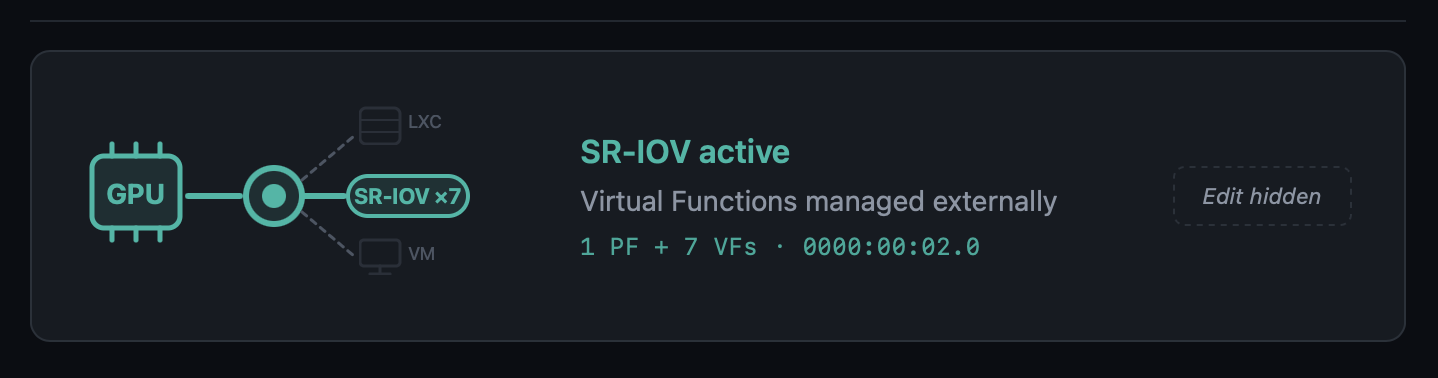
Modal dashboard for SR-IOV GPUs
Opening the modal for a Physical Function with active VFs now shows:
- Aggregate-metrics banner ("Metrics below reflect the Physical Function, aggregate across N VFs")
- Normal GPU real-time telemetry for the PF
- A Virtual Functions table, one row per VF, with the current driver (
i915,vfio-pci, unbound) and the specific VM or LXC that consumes it, including running/stopped state — consumers are discovered by cross-referencinghostpcientries and/dev/dri/renderDNmount lines against the VF's BDF and DRM render node
Opening the modal for a Virtual Function shows its parent PF (clickable to navigate back to the PF's modal), current driver, and consumer.
VM Conflict Policy popup no longer fires for SR-IOV VFs
The regex in detect_affected_vms_for_selected matched the slot (00:02) against VMs that had a VF (00:02.1) assigned, producing a confusing "Keep GPU in VM config" dialog. With the SR-IOV gate upstream, the flow never reaches that code path for SR-IOV slots.
🔊 GPU + Audio Passthrough — Full Lifecycle Hardening
A round of fixes around how GPU passthrough handles its audio companion device. Previously, only the .1 sibling of a discrete GPU was picked up automatically; Intel iGPU passthrough to a VM — where the audio lives separately on the chipset at 00:1f.3 and not at 00:02.1 — was silently skipped. On detach, the old sed that wiped hostpci lines by slot substring could also remove an unrelated GPU whose BDF happened to contain the search slot as a substring (e.g. slot 00:02 matching inside 0000:02:00.0). Both paths are now robust.
iGPU audio-companion checklist on attach
add_gpu_vm.sh::detect_optional_gpu_audio keeps the auto-include fast path for the classic .1 sibling (discrete NVIDIA / AMD with HDMI audio on the card). When no .1 audio exists, the script now:
- Scans sysfs for every PCI audio controller on the host
- Skips anything already covered by the GPU's IOMMU group
- Asks the user via a
_pmx_checklist(dialogin standalone mode,whiptailin wizard mode called fromvm_creator/synology/zimaos) which audio controllers to pass through alongside the GPU - Displays each entry with its current host driver (
snd_hda_intel,snd_hda_codec_*, etc.) so the decision is informed - Defaults to none — the user actively opts in
Orphan audio cascade on detach
When the user picks "Remove GPU from VM config" during a mode switch, the scripts now follow up with a targeted cleanup:
switch_gpu_mode.sh,switch_gpu_mode_direct.shandadd_gpu_vm.sh::cleanup_vm_config(source-VM cleanup on the "move GPU" flow) all call the shared helper_vm_list_orphan_audio_hostpci- The helper uses a two-pass scan of the VM config: pass 1 records slot bases of display/3D hostpci entries; pass 2 classifies audio entries and skips any audio whose slot still has a display sibling in the same VM — protecting the HDMI audio of other dGPUs left in the VM
- Previously the bare substring match would have flagged NVIDIA's
02:00.1as orphan when detaching an Intel iGPU at00:02.0 - The interactive switch flow confirms removals with a
dialogchecklist (default ON). The web variant auto-removes without prompting — the runner has no good way to render a checklist — and logs every BDF it touched
vfio.conf cascade extension
For each audio removed by the cascade, the switch-mode scripts now check whether its BDF is still referenced by any other VM via _pci_bdf_in_any_vm. If nothing else uses it, the vendor:device is appended to SELECTED_IOMMU_IDS before the /etc/modprobe.d/vfio.conf update runs. That closes the loop for the Intel iGPU case: 8086:51c8 (PCH HD Audio) is now pulled from vfio.conf alongside 8086:46a3 (iGPU) when both leave VM mode and no other VM references them. If another VM still uses the audio, the ID is deliberately kept — no breaking side effects on other VMs. add_gpu_vm.sh does NOT extend the cleanup in the move flow, because the GPU is still in use elsewhere and its IDs must remain.
Precise hostpci removal regex
Every inline sed used to detach a GPU from a VM config previously matched the slot as a free substring:
/^hostpci[0-9]+:.*${slot}/d
For slot=00:02 that pattern matches the substring inside 0000:02:00.0 (an unrelated NVIDIA dGPU at slot 02:00) and would wipe both cards. The fix anchors the match to the real BDF shape:
/^hostpci[0-9]+:[[:space:]]*(0000:)?${slot}\.[0-7]([,[:space:]]|$)/d
Applied in switch_gpu_mode.sh, switch_gpu_mode_direct.sh and add_gpu_vm.sh::cleanup_vm_config. The awk-based helper in vm_storage_helpers.sh::_remove_pci_slot_from_vm_config (used by the NVMe wizards) already used the correct pattern and did not need changes.
🤖 AI Provider Compatibility — OpenAI-Compatible, Reasoning & Thinking Models
Three coordinated fixes that unblock model categories previously rejected by the notification enhancement pipeline.
OpenAI-compatible endpoints
LiteLLM, MLX, LM Studio, vLLM, LocalAI, Ollama-proxy — the provider's list_models() used to require "gpt" in every model name, so local setups serving mlx-community/..., Qwen3-..., mistralai/... saw an empty model list. When a Custom Base URL is set, the "gpt" substring check is now skipped and EXCLUDED_PATTERNS (embeddings, whisper, tts, dall-e) is the only filter. The Flask route layer also stops intersecting the result against verified_ai_models.json for custom endpoints — the verified list only describes OpenAI's official model IDs and was erasing every local model the user actually served.
OpenAI reasoning models
o1, o3, o3-mini, o4-mini, gpt-5, gpt-5-mini, gpt-5.1, gpt-5.2-pro, gpt-5.4-nano, etc. (excluding the *-chat-latest variants) use a stricter API contract: max_completion_tokens instead of max_tokens, no temperature. Sending the classic chat parameters produced HTTP 400 Bad Request for every one of them. A detector in openai_provider.py now branches the payload accordingly and sets reasoning_effort: "minimal" — by default these models spend their output budget on internal reasoning and return an empty reply for the short notification-translation request.
Gemini 2.5+ / 3.x thinking models
gemini-2.5-flash, 2.5-pro, gemini-3-pro-preview, gemini-3.1-pro-preview, etc. have internal "thinking" enabled by default. With the small token budget used for notification enrichment (≤250 tokens), the thinking budget consumed the entire allowance and the model returned empty output with finishReason: MAX_TOKENS. gemini_provider.py now sets thinkingConfig.thinkingBudget: 0 for non-lite variants of 2.5+ and 3.x, so the available tokens go to the user-visible response. Lite variants (no thinking enabled) are untouched.
📋 Verified AI Models Refresh
AppImage/config/verified_ai_models.json refreshed for the providers re-tested against live APIs. The new private maintenance tool (kept out of the AppImage) re-runs a standardised translate+explain test against every model each provider advertises, classifies pass / warn / fail, and prints a ready-to-paste JSON snippet. Re-run before each ProxMenux release to keep the list current.
| Provider | New recommended | Notes |
|---|---|---|
| OpenAI | gpt-4.1-nano |
gpt-4.1-nano, gpt-4.1-mini, gpt-4o-mini, gpt-4.1, gpt-4o, gpt-5-chat-latest, plus gpt-5.4-nano / gpt-5.4-mini from 2026-03. Dated snapshots and legacy models excluded. Reasoning models supported by code but not listed by default — slower / costlier without improving notification quality |
| Gemini | gemini-2.5-flash-lite |
gemini-2.5-flash-lite, gemini-2.5-flash (works now), gemini-3-flash-preview. latest aliases intentionally omitted — resolved to different models across runs and produced timeouts in some regions. Pro variants reject thinkingBudget=0 and are overkill for notification translation |
| Groq / Anthropic / OpenRouter | unchanged | Marked with a _note — will be re-verified as soon as keys are available |
🩺 Disk Health Monitor — Observation Persistence in the Journal Watcher
A latent bug in notification_events.py::_check_disk_io meant real-time kernel I/O errors caught by the journal watcher were surfaced as notifications but never written to the permanent per-disk observations table. In practice the parallel periodic dmesg scan usually recorded the observation shortly after, but under timing edge cases (stale dmesg window, service restart right after the error, buffer rotation) the observation could go missing.
The journal watcher now records the observation before the 24h notification cooldown gate, using the same family-based signature classification (io_<disk>_ata_connection_error, io_<disk>_block_io_error, io_<disk>_ata_failed_command) as the periodic scan. Both paths now deduplicate into the same row via the UPSERT in record_disk_observation, so occurrence counts are accurate regardless of which detector fired first.
🔧 NVIDIA Installer Polish
lsmod race condition silenced
During reinstall, the module-unload verification in unload_nvidia_modules produced spurious lsmod: ERROR: could not open '/sys/module/nvidia_uvm/holders' errors because lsmod reads /proc/modules and then opens each module's holders/ directory, which disappears transiently while the module is being removed. The check now reads /proc/modules directly and inserts short sleeps to let the kernel finalise the unload before re-verifying. Applied in the same spirit to the four other lsmod call sites in the script.
Dialog → whiptail in the LXC update flow
The "Insufficient Disk Space" message in update_lxc_nvidia and the "Update NVIDIA in LXC Containers" confirmation now use whiptail-style dialogs consistent with the rest of the in-flow messaging, avoiding the visual break that dialog --msgbox caused when rendered mid-sequence in the container-update phase.
🧵 LXC Lifecycle Helper — Timeout-Safe Stop
A plain pct stop can hang indefinitely when the container has a stale lock from a previous aborted operation, when processes inside (Plex, Jellyfin, databases) ignore TERM and fall into uninterruptible-sleep while the GPU they were using is yanked out, or when pct shutdown --timeout is not enforced by pct itself. Field reports of 5+ min waits during GPU mode switches made this a real UX hazard.
New shared helper _pmx_stop_lxc <ctid> [log_file] in pci_passthrough_helpers.sh:
- Returns 0 immediately if the container is not running
- Best-effort
pct unlock(silent on failure) — most containers aren't actually locked; we only care about the cases where they are pct shutdown --forceStop 1 --timeout 30wrapped in an externaltimeout 45so we never wait longer than that for the graceful phase, even if pct stalls on backend I/O- Verifies actual status via
pct status— pct can return non-zero while the container is in fact stopped - If still running,
pct stopwrapped intimeout 60. Verify again - Returns 1 only if the container is truly stuck after ~107 s total — the wizard moves on instead of hanging
Wired into the three GPU-mode paths that stop LXCs during a switch: switch_gpu_mode.sh, switch_gpu_mode_direct.sh, and add_gpu_vm.sh::cleanup_lxc_configs.
⚙️ add_gpu_vm.sh Reboot Prompt Stability
The final "Reboot Required" prompt of the GPU-to-VM assignment wizard was triggering spurious reboots in certain menu-chain invocations (menu → main_menu → hw_grafics_menu → add_gpu_vm). With the _pmx_yesno helper it sometimes returned exit 0 without the user having actually confirmed, calling reboot immediately. With a bare read in its place the process would get SIGTTIN-suspended when the menu chain detached the script from the terminal's foreground process group, leaving [N]+ Stopped menu on the parent shell with no chance to answer.
The prompt now uses whiptail --yesno invoked directly (the pattern verified to work reliably in that menu chain) and inserts a Press Enter to continue ... read -r pause between the "Yes" answer and the actual reboot call — so an accidental Enter on the confirm button cannot trigger an immediate reboot without a visible confirmation step first.
🙏 Thanks
Thank you to the users who reported the SR-IOV, LiteLLM/MLX and GPU + audio cases — these improvements exist because of detailed, reproducible reports. Feel free to keep reporting issues or suggesting improvements 🙌.
2026-04-17
New version ProxMenux v1.2.0 — AI-Enhanced Monitoring
This release is the culmination of the v1.1.9.1 → v1.1.9.6 beta cycle and introduces the biggest evolution of ProxMenux Monitor to date: AI-enhanced notifications, a redesigned multi-channel notification system, a fully reworked hardware and storage experience, and broad performance improvements across the monitoring stack. It also consolidates all recent work on the Storage, Hardware and GPU/TPU scripts.
🤖 ProxMenux Monitor — AI-Enhanced Notifications
Notifications can now be enhanced using AI to generate clear, contextual messages instead of raw technical output.
Example — instead of backup completed exitcode=0 size=2.3GB, AI produces: "The web server backup completed successfully. Size: 2.3GB".
What AI does
- Transforms technical notifications into readable messages
- Translates to your preferred language
- Lets you choose detail level: minimal, standard, or detailed
- Works with Telegram, Discord, Email, Pushover, and Webhooks
What AI does NOT do
- It is not a chatbot or assistant
- It does not analyze your system or make decisions
- It does not have access to data beyond the notification being processed
- It does not execute commands or modify the server
- It does not store history or learn from your data
Multi-Provider Support
Choose between 6 AI providers, each with its own API key stored independently:
- Groq — fast inference, generous free tier
- Google Gemini — excellent quality/price ratio, free tier available
- OpenAI — industry standard
- Anthropic Claude — excellent for writing and translation
- OpenRouter — 300+ models with a single API key
- Ollama — 100% local execution, no internet required
Verified AI Models
A curated list of models (verified_ai_models.json) tested specifically for notification enhancement.
- Hybrid verification: the system fetches provider-side models and filters to only show those tested to work correctly
- Per-Provider Model Memory: selected model is saved per provider, so switching providers preserves each choice
- Daily verification: background task checks model availability and auto-migrates to a verified alternative if the current model disappears
- Incompatible models excluded: Whisper, TTS, image/video, embeddings, guard models, etc. are filtered out per provider
| Provider | Recommended | Also Verified |
|---|---|---|
| Gemini | gemini-2.5-flash-lite | gemini-flash-lite-latest |
| OpenAI | gpt-4o-mini | gpt-4.1-mini |
| Groq | llama-3.3-70b-versatile | llama-3.1-70b-versatile, llama-3.1-8b-instant, llama3-70b-8192, llama3-8b-8192, mixtral-8x7b-32768, gemma2-9b-it |
| Anthropic | claude-3-5-haiku-latest | claude-3-5-sonnet-latest, claude-3-opus-latest |
| OpenRouter | meta-llama/llama-3.3-70b-instruct | meta-llama/llama-3.1-70b-instruct, anthropic/claude-3.5-haiku, google/gemini-flash-2.5-flash-lite, openai/gpt-4o-mini, mistralai/mixtral-8x7b-instruct |
| Ollama | (all local models) | No filtering — shows all installed models |
Custom AI Prompts
Advanced users can define their own prompt for full control over formatting and translation.
- Prompt Mode selector — Default Prompt or Custom Prompt
- Export / Import — save and share custom prompts across installations
- Example Template — starting point to build your own prompt
- Community Prompts — direct link to GitHub Discussions to share templates
- Language selector is hidden in Custom Prompt mode (you define the output language in the prompt itself)
Enriched Context
- System uptime is included only for error/warning events (not informational ones) — helps distinguish startup vs runtime errors
- Event frequency tracking — indicates recurring vs one-time issues
- SMART disk health data is passed for disk-related errors
- Known Proxmox errors database improves diagnosis accuracy
- Clearer prompt instructions to prevent AI hallucinations
📨 Notification System Redesign
- Multi-Channel Architecture — Telegram, Discord, Pushover, Email, and Webhook channels running simultaneously
- Per-Event Configuration — enable/disable specific event types per channel
- Channel Overrides — customize notification behaviour per channel
- Secure Webhook Endpoint — external systems can send authenticated notifications
- Encrypted Storage — API keys and sensitive data stored encrypted
- Queue-Based Processing — background worker with automatic retry for failed notifications
- SQLite-Based Config Storage — replaces file-based config for reliability
Telegram Topics Support
Send notifications to a specific topic inside groups with Topics enabled.
- New Topic ID field on the Telegram channel
- Automatic detection of topic-enabled groups
- Fully backwards compatible
ProxMenux Update Notifications
The Monitor now detects when a new ProxMenux version is released.
- Dual-channel — monitors both stable (
version.txt) and beta (beta_version.txt) - GitHub integration — compares local vs remote versions
- Dashboard Update Indicator — the ProxMenux logo changes to an update variant when a new version is detected (non-intrusive, no popups)
- Persistent state — status stored in
config.json, reset by update scripts - Single toggle in Settings controls both channels (enabled by default)
🖥️ Hardware Panel — Expanded Detection
The Hardware page has been significantly expanded, with better detection and richer per-device detail.
- SCSI / SAS / RAID Controllers — model, driver and PCI slot shown in the storage controllers section
- PCIe Link Speed Detection — NVMe drives show current link speed (PCIe generation and lane width), making it easy to spot drives underperforming due to limited slot bandwidth
- Enhanced Disk Detail Modal — NVMe, SATA, SAS, and USB drives now expose their specific fields (PCIe link info, SAS version/speed, interface type) instead of a generic view
- Smarter Disk Type Recognition — uniform labelling for NVMe SSDs, SATA SSDs, HDDs and removable disks
- Hardware Info Caching (
lspci,lspci -vmm) — 5 min cache avoids repeated scans for data that doesn't change
💽 Storage Overview — Health, Observations, Exclusions
The Storage Overview has been reworked around real-time state and user-controlled tracking.
Disk Health Status Alignment
- Badges now reflect the current SMART state reported by Proxmox, not a historical worst value
- Observations preserved — historical findings remain accessible via the "X obs." badge
- Automatic recovery — when SMART reports healthy again, the disk immediately shows Healthy
- Removed the old
worst_healthtracking that required manual clearing
Disk Registry Improvements
- Smart serial lookup — when a serial is unknown the system checks for an existing entry with a serial before inserting a new one
- No more duplicates — prevents separate entries for the same disk appearing with/without a serial
- USB disk support — handles USB drives that may appear under different device names between reboots
Storage and Network Interface Exclusions
- Storage Exclusions section — exclude drives from health monitoring and notifications
- Network Interface Exclusions — new section for excluding interfaces (bridges
vmbr, bonds, physical NICs, VLANs) from health and notifications; ideal for intentionally disabled interfaces that would otherwise generate false alerts - Separate toggles per item for Health monitoring and Notifications
Disk Detection Robustness
- Power-On-Hours validation — detects and corrects absurdly large values (billions of hours) on drives with non-standard SMART encoding
- Intelligent bit masking — extracts the correct value from drives that pack extra info into high bytes
- Graceful fallback — shows "N/A" instead of impossible numbers when data cannot be parsed
🧠 Health Monitor & Error Lifecycle
Stale Error Cleanup
Errors for resources that no longer exist are now resolved automatically.
- Deleted VMs / CTs — related errors auto-resolve when the resource is removed
- Removed Disks — errors for disconnected USB or hot-swap drives are cleaned up
- Cluster Changes — cluster errors clear when a node leaves the cluster
- Log Patterns — log-based errors auto-resolve after 48 hours without recurrence
- Security Updates — update notifications auto-resolve after 7 days
Database Migration System
- Automatic column detection — missing columns are added on startup
- Schema compatibility — works with both old and new column naming conventions
- Backwards compatible — databases from older ProxMenux versions are supported
- Graceful migration — no data loss during schema updates
🧩 VM / CT Detail Modal
The VM/CT detail modal has been completely redesigned for usability.
- Tabbed Navigation — Overview (general information, status, resource usage) and Backups (dedicated history)
- Visual Enhancements — icons throughout, improved hierarchy and spacing, better VM vs CT distinction
- Mobile Responsiveness — adapts correctly to mobile screens in both webapp and direct browser access, no more overflow on small devices
- Touch-Friendly Controls — larger buttons and spacing
Secure Gateway Modal
- Scrollable storage list when many destinations are available
- Mobile-adapted layout and improved visual hierarchy
Terminal Connection
- Reconnection loop fix that was affecting mobile devices
- Improved WebSocket handling for mobile browsers
- More graceful connection timeout recovery
Fail2ban & Lynis Management
- Delete buttons added in Settings for both tools
- Clean removal of packages and configuration files
- Confirmation dialog to prevent accidental deletion
⚡ Performance Optimizations
Major reduction in CPU usage and elimination of spikes on the Monitor.
Staggered Polling Intervals
Collectors now run on offset schedules to prevent simultaneous execution:
| Collector | Schedule |
|---|---|
| CPU sampling | Every 30s at offset 0 |
| Temperature sampling | Every 15s at offset 7s |
| Latency pings | Every 60s at offset 25s |
| Temperature record | Every 60s at offset 40s |
| Health collector | Starts at 55s offset |
| Notification polling | Health=10s, Updates=30s, ProxMenux=45s, AI=50s |
Cached System Information
Expensive commands now cached to reduce repeated execution:
| Command | Cache TTL | Impact |
|---|---|---|
pveversion |
6 hours | Eliminates 23%+ CPU spikes from Perl execution |
apt list --upgradable |
6 hours | Reduces package manager queries |
pvesh get /cluster/resources |
30 seconds | 6 API calls per request reduced to 1 |
sensors |
10 seconds | Temperature readings cached between polls |
smartctl (SMART health) |
30 minutes | Disk health checks reduced from every 5 min |
lspci / lspci -vmm |
5 minutes | Hardware info cached (doesn't change) |
journalctl --since 24h |
1 hour | Login attempts count cached (92% reduction) |
Increased journalctl Timeouts
Prevents timeout cascades under system load:
| Query Type | Before | After |
|---|---|---|
| Short-term (3-10 min) | 3s | 10s |
| Medium-term (1 hour) | 5s | 15s |
| Long-term (24 hours) | 5s | 20s |
Reduced Polling Frequency
TaskWatcherinterval raised from 2s → 5s (60% fewer checks)
GitHub Actions
- All workflow actions upgraded to v6 for Node.js 24 compatibility
- Deprecation warnings eliminated in CI/CD
🧰 Scripts — Storage, Hardware and GPU/TPU Work
This release also consolidates significant work on the core ProxMenux scripts.
Storage scripts
- SMART scheduled tests and improved interactive SMART test workflow with clearer progress feedback
- Disk formatting (
format-disk.sh) rework with safer device selection and dialog flow - Disk passthrough for VMs and CTs — updated device enumeration, serial-based identification, and cleaner teardown
- NVMe controller addition for VMs — improved controller type selection and slot detection
- Import disk image — smoother path validation and progress reporting
- Disk & storage manual guide refresh
Hardware / GPU / TPU scripts
- Coral TPU installer updated for current kernels and udev rules (Proxmox VE 8 & VE 9)
- NVIDIA installer — cleaner driver installation, kernel header handling, and VM/LXC attachment flow
- GPU mode switch (direct and interactive variants) — safer switching between iGPU modes
- Add GPU to VM / LXC — unified selection dialogs and permission handling
- Intel / AMD GPU tools kept in sync with the new shared patterns
- Hardware & graphics menu restructured for consistency with the rest of ProxMenux
2026-03-14
New version v1.1.9 — Helper Scripts Catalog Rebuilt
Changed
-
Helper Scripts Menu — Full Catalog Rebuild The Helper Scripts catalog has been completely rebuilt to adapt to the new data architecture of the Community Scripts project.
The previous implementation relied on a
metadata.jsonfile that no longer exists in the upstream repository. The catalog now connects directly to the PocketBase API (db.community-scripts.org), which is the new official data source for the project.A new GitHub Actions workflow generates a local
helpers_cache.jsonindex that replaces the old metadata dependency. This new cache is richer, more structured, and includes:- Script type, slug, description, notes, and default credentials
- OS variants per script (e.g. Debian, Alpine) — each shown as a separate selectable option in the menu
- Direct GitHub URL and Mirror URL (
git.community-scripts.org) for every script - Category names embedded directly in the cache — no external requests needed to build the menu
- Additional metadata: default port, website, logo, update support, ARM availability
Scripts that support multiple OS variants (e.g. Docker with Alpine and Debian) now correctly show one entry per OS, each with its own GitHub and Mirror download option — restoring the behavior that existed before the upstream migration.
🎖 Special Acknowledgment
This update would not have been possible without the openness and collaboration of the Community Scripts maintainers.
When the upstream metadata structure changed and broke the ProxMenux catalog, the maintainers responded quickly, explained the new architecture in detail, and provided all the information needed to rebuild the integration cleanly.
Special thanks to:
- MickLeskCanbiZ (@MickLesk) — for documenting the new script path structure by type and slug, and for the clear and direct technical guidance.
- Michel Roegl-Brunner (@michelroegl-brunner) — for explaining the new PocketBase collections structure (
script_scripts,script_categories).
The Helper Scripts project is an extraordinary resource for the Proxmox community. The scripts belong entirely to their authors and maintainers — ProxMenux simply offers a guided way to discover and launch them. All credit goes to the community behind community-scripts/ProxmoxVE.
2025-09-18
New version v1.1.8 — ProxMenux Offline Mode
Added
-
Offline Execution Mode (no GitHub dependency)
All ProxMenux core scripts now run entirely locally, without requiring live requests to GitHub (raw.githubusercontent.com).
This change provides:- Greater stability during execution
- No interruptions due to network timeouts or regional GitHub blocks
- Support for offline or isolated environments
⚠️ This update resolves recent issues where users in certain regions were unable to run scripts due to CDN or TLS filtering errors while downloading
.shfiles from GitHub raw URLs.🎖 Special Acknowledgment: @cod378
This offline conversion has been made possible thanks to the extraordinary work of @cod378,
who redesigned the entire internal logic of the installer and updater, refactored the file management system,
and implemented the new fully local execution workflow.
Without his collaboration, dedication, and technical contribution, this transformation would not have been possible. -
ProxMenux Monitor v1.0.1
This update brings a major leap in the ProxMenux Monitor interface.
New features and improvements:Proxy Support: Access ProxMenux through reverse proxies with full functionalityAuthentication System: Secure your dashboard with password protectionTwo-Factor Authentication (2FA): Optional TOTP support for enhanced securityPCIe Link Speed Detection: View NVMe connection speeds and detect performance bottlenecksEnhanced Storage Display: Auto-formats disk sizes (GB → TB when appropriate)SATA/SAS Interface Info: Detect and show storage type (SATA, SAS, NVMe, etc.)Health Monitoring System: Built-in system health check with dismissible alerts- Improved rendering across browsers and better performance
-
Helper Scripts Menu (Mirror Support)
TheHelper Scriptsmenu now:- Detects mirror URLs and shows alternative download options when available
- Lists available OS versions when a helper script is version-dependent (e.g. template installers)
Fixed
- Minor fixes and refinements throughout the codebase to ensure full offline compatibility and a smoother user experience.
2025-09-04
New version v1.1.7
Added
-
ProxMenux Monitor
Your new monitoring tool for Proxmox. Discover all the features that will help you manage and supervise your infrastructure efficiently.ProxMenux Monitor is designed to support future updates where actions can be triggered without using the terminal, and managed through a user-friendly interface accessible across multiple formats and devices.
Access it at: http://your-server-ip:8008

-
New Banner Removal Method
A new function to disable the Proxmox subscription message with improved safety:- Creates a full backup before modifying any files
- Shows a clear warning that breaking changes may occur with future GUI updates
- If the GUI fails to load, the user can revert changes via SSH from the post-install menu using the "Uninstall Options → Restore Banner" tool
Special thanks to @eryonki for providing the improved method.
Improved
-
CORAL TPU Installer Updated for PVE 9
The CORAL TPU driver installer now supports both Proxmox VE 8 and VE 9, ensuring compatibility with the latest kernels and udev rules. -
Log2RAM Installation & Integration
- Log2RAM installation is now idempotent and can be safely run multiple times.
- Automatically adjusts
journaldconfiguration to align with the size and behavior of Log2RAM. - Ensures journaling is correctly tuned to avoid overflows or RAM exhaustion on low-memory systems.
-
Network Optimization Function (LXC + NFS)
Improved to prevent “martian source” warnings in setups where LXC containers share storage with VMs over NFS within the same server. -
APT Upgrade Progress
When running full system upgrades via ProxMenux, a real-time progress bar is now displayed, giving the user clear visibility into the update process.
Fixed
- Other small improvements and fixes to optimize runtime performance and eliminate minor bugs.
2025-01-10
New version v1.1.6
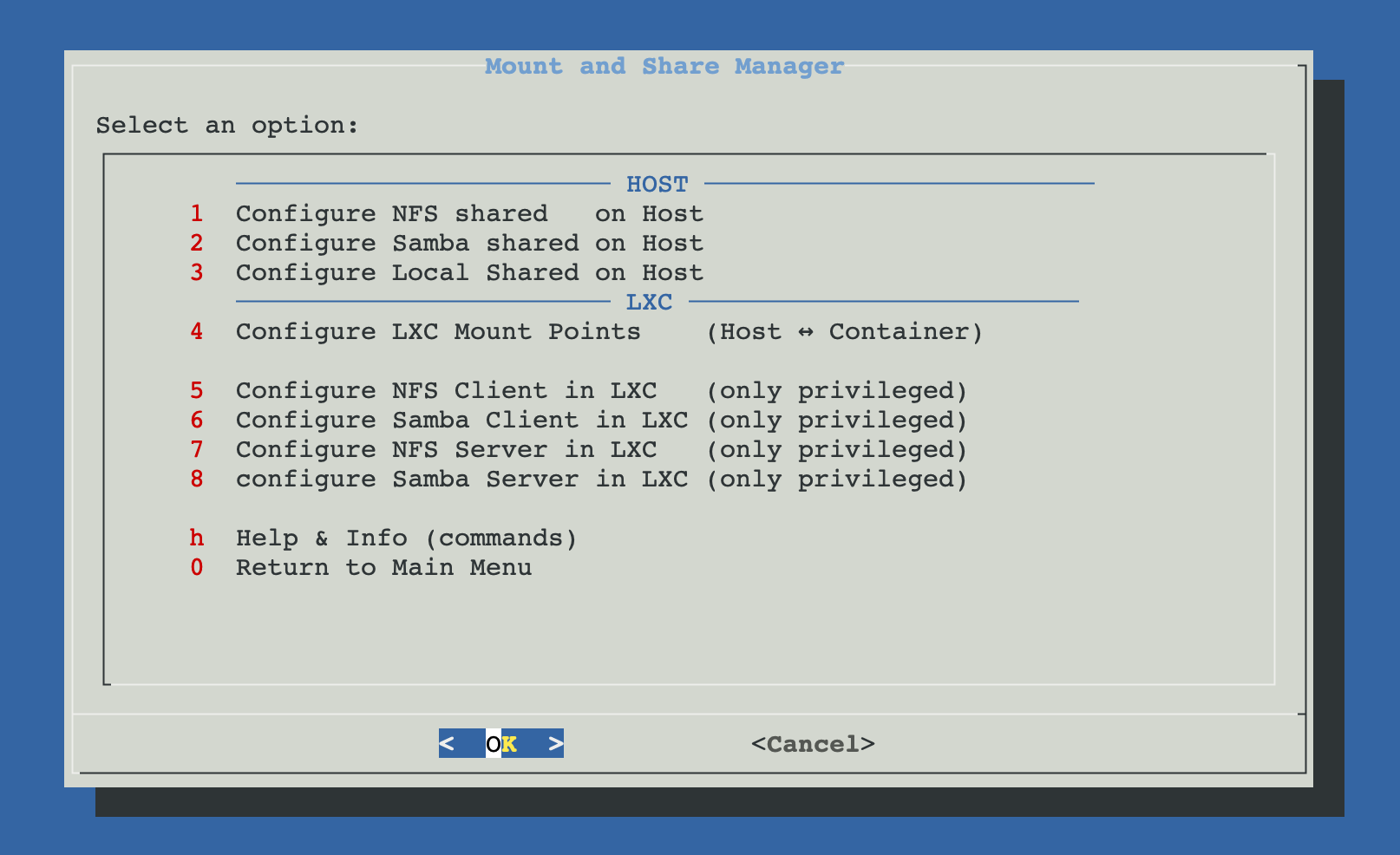
Added
-
New Menu: Mount and Share Manager
Introduced a comprehensive new menu for managing shared resources between Proxmox host and LXC containers:Host Configuration Options:
- Configure NFS Shared on Host - Add, view, and remove NFS shared resources on the Proxmox server with automatic export management
- Configure Samba Shared on Host - Add, view, and remove Samba/CIFS shared resources on the Proxmox server with share configuration
- Configure Local Shared on Host - Create and manage local shared directories with proper permissions on the Proxmox host
LXC Integration Options:
- Configure LXC Mount Points (Host ↔ Container) - Core feature that enables mounting host directories into LXC containers with automatic permission handling. Includes the ability to view existing mount points for each container in a clear, organized way and remove mount points with proper verification that the process completed successfully. Especially optimized for unprivileged containers where UID/GID mapping is critical.
- Configure NFS Client in LXC - Set up NFS client inside privileged containers
- Configure Samba Client in LXC - Set up Samba client inside privileged containers
- Configure NFS Server in LXC - Install NFS server inside privileged containers
- Configure Samba Server in LXC - Install Samba server inside privileged containers
Documentation & Support:
- Help & Info (commands) - Comprehensive guides with step-by-step manual instructions for all sharing scenarios
The entire system is built around the LXC Mount Points functionality, which automatically detects filesystem types, handles permission mapping between host and container users, and provides seamless integration for both privileged and unprivileged containers.
Improved
- Log2RAM Auto-Detection Enhancement
In the automatic post-install script, the Log2RAM installation function now prompts the user when automatic disk ssd/m2 detection fails. This ensures Log2RAM can still be installed on systems where automatic disk detection doesn't work properly.
Fixed
-
Proxmox Update Repository Verification
Fixed an issue in the Proxmox update function where empty repository source files would cause errors during conflict verification. The function now properly handles empty/etc/apt/sources.list.d/files without throwing false warnings.Thanks to @JF_Car for reporting this issue.
Acknowledgments
Special thanks to @JF_Car, @ghosthvj, and @jonatanc for their testing, valuable feedback, and suggestions that helped refine the shared resources functionality and improve the overall user experience.
2025-08-20
New version v1.1.5
Added
-
New Script: Upgrade PVE 8 to PVE 9
Added a full upgrade tool located underUtilities and Tools. It provides:- Automatic upgrade from PVE 8 to 9
- Interactive upgrade with step-by-step confirmations
- Check-only mode using
check-pve8to9 - Manual instructions shown in order for users who prefer to upgrade manually
-
New Tools in System Utilities
s-tui: Terminal-based CPU monitoring with graphsintel-gpu-tools: Useful for Intel GPU diagnostics
Improved
-
APT Upgrade Handling
The PVE upgrade function now blocks the process if any package prompts for manual confirmation. This avoids partial upgrades and ensures consistency. -
Network Optimization (sysctl)
- Obsolete kernel parameters removed (e.g.,
tcp_tw_recycle,nf_conntrack_helper) to prevent warnings in Proxmox 9 / kernel 6.14 - Now generates only valid, up-to-date sysctl parameters
- Obsolete kernel parameters removed (e.g.,
-
AMD CPU Patch Handling
- Now applies correct
idle=nomwaitand KVM options (ignore_msrs=1,report_ignored_msrs=0) - Expected warning is now documented and safely handled for stability with Ryzen/EPYC
- Now applies correct
-
Timezone & NTP Fixes
- Automatically detects timezone using public IP geolocation
- Falls back to UTC if detection fails
- Restarts Postfix after timezone set → resolves
/var/spool/postfix/etc/localtimemismatch warning
-
Repository & Package Installer Logic
- Now verifies that working repositories exist before installing any package
- If none are available, adds a fallback Debian stable repository
- Replaces deprecated
mlocatewithplocate(compatible with Debian 13 and Proxmox 9)
-
Improved Logs and User Feedback
- Actions that fail now provide precise messages (instead of falsely marking as success)
- Helps users clearly understand what's been applied or skipped
2025-08-06
New version v1.1.4
Added
-
Proxmox 9 Compatibility Preparation
This version prepares ProxMenux for the upcoming Proxmox VE 9:- The function to add the official Proxmox repositories now supports the new
.sourcesformat used in Proxmox 9, while maintaining backward compatibility with Proxmox 8. - Banner removal is now optionally supported for Proxmox 9.
- The function to add the official Proxmox repositories now supports the new
-
xshok-proxmox Detection
Added a check to detect if thexshok-proxmoxpost-install script has already been executed.
If detected, a warning is shown to avoid conflicting adjustments:It appears that you have already executed the xshok-proxmox post-install script on this system. If you continue, some adjustments may be duplicated or conflict with those already made by xshok. Do you want to continue anyway?
Improved
-
Banner Removal (Proxmox 8.4.9+)
Updated the logic for removing the subscription banner in Proxmox 8.4.9, due to changes inproxmoxlib.js. -
LXC Disk Passthrough (Persistent UUID)
The function to add a physical disk to an LXC container now uses UUID-based persistent paths.
This ensures that disks remain correctly mounted, even if the/dev/sdXorder changes due to new hardware.PERSISTENT_DISK=$(get_persistent_path "$DISK") if [[ "$PERSISTENT_DISK" != "$DISK" ]] ... -
System Utilities Installer
Now checks whether APT sources are available before installing selected tools.
If a new Proxmox installation has no active repos, it will automatically add the default sources to avoid installation failure. -
IOMMU Activation on ZFS Systems
The function that enables IOMMU for passthrough now verifies existing kernel parameters to avoid duplication if the user has already configured them manually.
Fixed
- Minor code cleanup and improved runtime performance across several modules.
2025-07-20
Changed
-
Subscription Banner Removal (Proxmox 8.4.5+)
Improved theremove_subscription_bannerfunction to ensure compatibility with Proxmox 8.4.5, where the banner removal method was failing after clean installations. -
Improved Log2RAM Detection
In both the automatic and customizable post-install scripts, the logic for Log2RAM installation has been improved.
Now it correctly detects if Log2RAM is already configured and avoids triggering errors or reconfiguration. -
Optimized Figurine Installation
Theinstall_figurinefunction now avoids duplicating.bashrcentries if the customization for the root prompt already exists.
Added
-
New Function: Persistent Network Interface Naming
Added a new functionsetup_persistent_networkto create stable network interface names using.linkfiles based on MAC addresses.
This avoids unpredictable renaming (e.g.,enp2s0becomingenp3s0) when hardware changes, PCI topology shifts, or passthrough configurations are applied.Why use
.linkfiles?
Because predictable interface names insystemdcan change with hardware reordering or replacement. Using static.linkfiles bound to MAC addresses ensures consistency, especially on systems with multiple NICs or passthrough setups.Special thanks to [@Andres_Eduardo_Rojas_Moya] for contributing the persistent
network naming function and for the original idea.
[Match]
MACAddress=XX:XX:XX:XX:XX:XX

[Link]
Name=eth0
2025-07-01
New version v1.1.3
-
Dual Installation Modes for ProxMenux
The installer now offers two distinct modes:- Lite version (no translations): Only installs two official Debian packages (
dialog,jq) to enable menus and JSON parsing. No files are written beyond the configuration directory. - Full version (with translations): Uses a virtual environment and allows selecting the interface language during installation.
When updating, if the user switches from full to lite, the old version will be automatically removed for a clean transition.
- Lite version (no translations): Only installs two official Debian packages (
Added
-
New Script: Automated Post-Installation Setup
A new minimal post-install script that performs essential setup automatically:- System upgrade and sync
- Remove enterprise banner
- Optimize APT, journald, logrotate, system limits
- Improve kernel panic handling, memory settings, entropy, network
- Add
.bashrctweaks and Log2RAM auto-install (if SSD/M.2 is detected)
-
New Function: Log2RAM Configuration
Now available in both the customizable and automatic post-install scripts.
On systems with SSD/NVMe, Log2RAM is enabled automatically to preserve disk life. -
New Menus:
- 🧰 System Utilities Menu
Lets users select and install useful CLI tools with proper command validation. - 🌐 Network Configuration & Repair
A new interactive menu for analyzing and repairing network interfaces.
- 🧰 System Utilities Menu
Improved
-
Post-Install Menu Logic
Options are now grouped more logically for better usability. -
VM Creation Menu
Enhanced with improved CPU model support and custom options. -
UUP Dump ISO Creator Script
-
Physical Disk to LXC Script
Now handles XFS-formatted disks correctly.
Thanks to @antroxin for reporting and testing! -
System Utilities Installer
Rewritten to verify command availability after installation, ensuring tools work as expected.
🐛 Fix for #18 by @DST73
Fixed
- Enable IOMMU on ZFS
The detection and configuration for enabling IOMMU on ZFS-based systems is now fully functional.
🐛 Fix for #15 by @troponaut
Other
- Performance and code cleanup improvements across several modules.
2025-06-06
Added
-
New Menu: Proxmox PVE Helper Scripts
Officially introduced the new Proxmox PVE Helper Scripts menu, replacing the previous: Esenciales Proxmox.
This new menu includes:- Script search by name in real time
- Category-based browsing
It’s a cleaner, faster, and more functional way to access community scripts in Proxmox.

-
New CPU Models in VM Creation
The CPU selection menu in VM creation has been greatly expanded to support advanced QEMU and x86-64 CPU profiles.
This allows better compatibility with modern guest systems and fine-tuning performance for specific workloads, including nested virtualization and hardware-assisted features.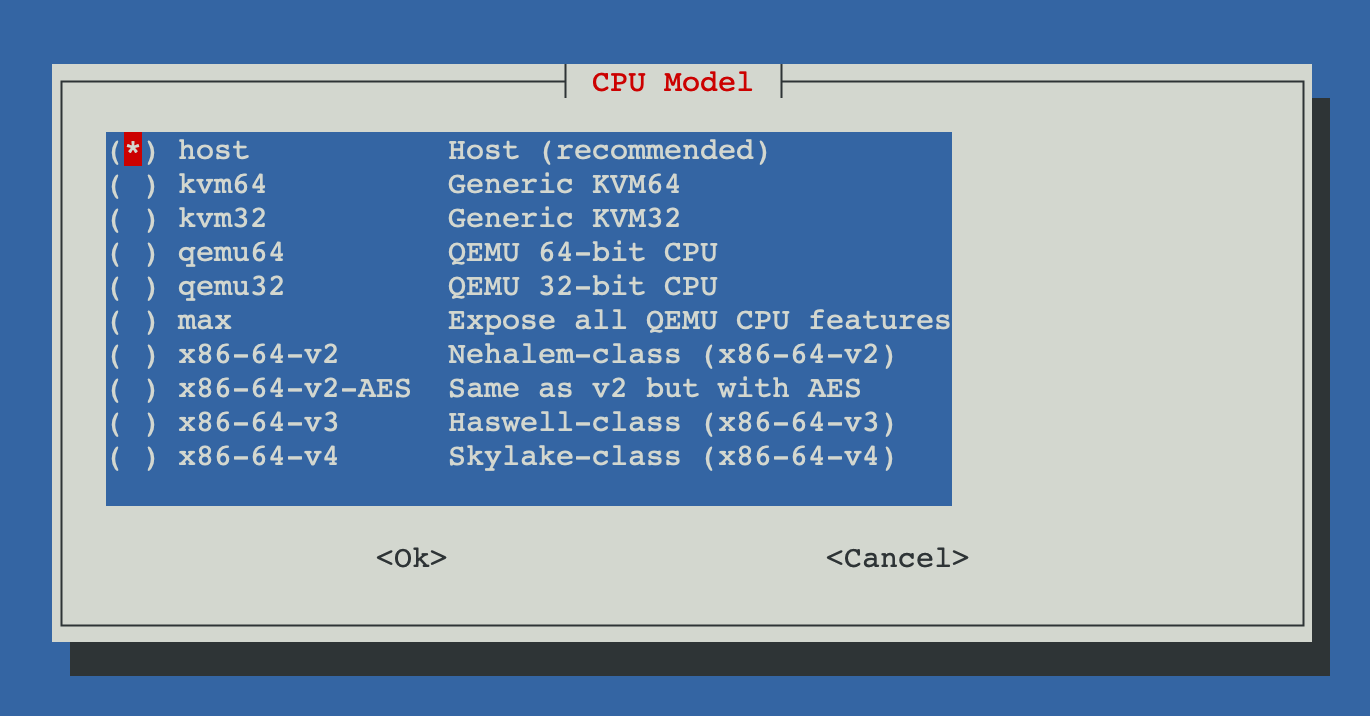
Thanks to @Nida Légé (Nidouille) for suggesting this enhancement.
-
Support for
.rawDisk Images
The disk import tool for VMs now supports.rawfiles, in addition to.img,.qcow2, and.vmdk.
This improves compatibility when working with disk exports from other hypervisors or backup tools.💡 Suggested by @guilloking in GitHub Issue #5
-
Locale Detection in Language Skipping
The function that disables extra APT languages now includes:- Automatic locale detection (
LANG) - Auto-generation of
en_US.UTF-8if none is found - Prevents warnings during script execution due to undefined locale
- Automatic locale detection (
Improved
-
APT Language Skipping Logic
Improved locale handling ensures system compatibility before disabling translations:if ! locale -a | grep -qi "^${default_locale//-/_}$"; then echo "$default_locale UTF-8" >> /etc/locale.gen locale-gen "$default_locale" fi -
System Update Speed
Post-install system upgrades are now faster:- The upgrade process (
dist-upgrade) is separated from container template index updates. - Index refresh is now an optional feature selected in the script.
- The upgrade process (
2025-05-27
Fixed
- Kali Linux ISO URL Updated
Fixed the incorrect download URL for Kali Linux ISO in the Linux installer module. The new correct path is:https://cdimage.kali.org/kali-2025.1c/kali-linux-2025.1c-installer-amd64.iso
Improved
-
Faster Dialog Menu Transitions
Improved UI responsiveness across all interactive menus by replacingwhiptailwithdialog, offering faster transitions and smoother navigation. -
Coral USB Support in LXC
Improved the logic for configuring Coral USB TPU passthrough into LXC containers:- Refactored configuration into modular blocks with better structure and inline comments.
- Clear separation of Coral USB (
/dev/coral) and Coral M.2 (/dev/apex_0) logic. - Maintains backward compatibility with existing LXC configurations.
- Introduced persistent Coral USB passthrough using a udev rule:
# Create udev rule for Coral USB SUBSYSTEM=="usb", ATTRS{idVendor}=="18d1", ATTRS{idProduct}=="9302", MODE="0666", TAG+="uaccess", SYMLINK+="coral" # Map /dev/coral if it exists if [ -e /dev/coral ]; then echo "lxc.mount.entry: /dev/coral dev/coral none bind,optional,create=file" >> "$CONFIG_FILE" fi - Special thanks to @Blaspt for validating the persistent Coral USB passthrough and suggesting the use of
/dev/coralsymbolic link.
Added
-
Persistent Coral USB Passthrough Support
Added udev rule support for Coral USB devices to persistently map them as/dev/coral, enabling consistent passthrough across reboots. This path is automatically detected and mapped in the container configuration. -
RSS Feed Integration
Added support for generating an RSS feed for the changelog, allowing users to stay informed of updates through news clients. -
Release Service Automation
Implemented a new release management service to automate publishing and tagging of versions, starting with version v1.1.2.
2025-05-13
Fixed
- Startup Fix on Newer Proxmox Versions
Fixed an issue where some recent Proxmox installations lacked the/usr/local/bindirectory, causing errors when installing the execution menu. The script now creates the directory if it does not exist before downloading the main menu.
Thanks to @danielmateos for detecting and reporting this issue.
Improved
-
Updated Lynis Installation Logic in Post-Install Settings
Theinstall_lynis()function was improved to always install the latest version of Lynis by cloning the official GitHub repository:https://github.com/CISOfy/lynis.gitThe installation process now ensures the latest version is always fetched and linked properly within the system path.
Thanks to @Kamunhas for reporting this enhancement opportunity.
-
Balanced Memory Optimization for Low-Memory Systems
Improved the default memory settings to better support systems with limited RAM. The previous configuration could prevent low-spec servers from booting. Now, a more balanced set of kernel parameters is used, and memory compaction is enabled if supported by the system.cat <<EOF | sudo tee /etc/sysctl.d/99-memory.conf # Balanced Memory Optimization vm.swappiness = 10 vm.dirty_ratio = 15 vm.dirty_background_ratio = 5 vm.overcommit_memory = 1 vm.max_map_count = 65530 EOF # Enable memory compaction if supported by the system if [ -f /proc/sys/vm/compaction_proactiveness ]; then echo "vm.compaction_proactiveness = 20" | sudo tee -a /etc/sysctl.d/99-memory.conf fi # Apply settings sudo sysctl -p /etc/sysctl.d/99-memory.confThese values help maintain responsiveness and system stability even under constrained memory conditions.
Thanks to @chesspeto for pointing out this issue and helping refine the optimization.
2025-05-04
Added
-
Interactive Help & Info Menu
Added a new script calledHelp and Info, which provides an interactive command reference menu for Proxmox VE through a dialog-based interface.
This tool offers users a quick way to browse and copy useful commands for managing and maintaining their Proxmox server, all in one centralized location.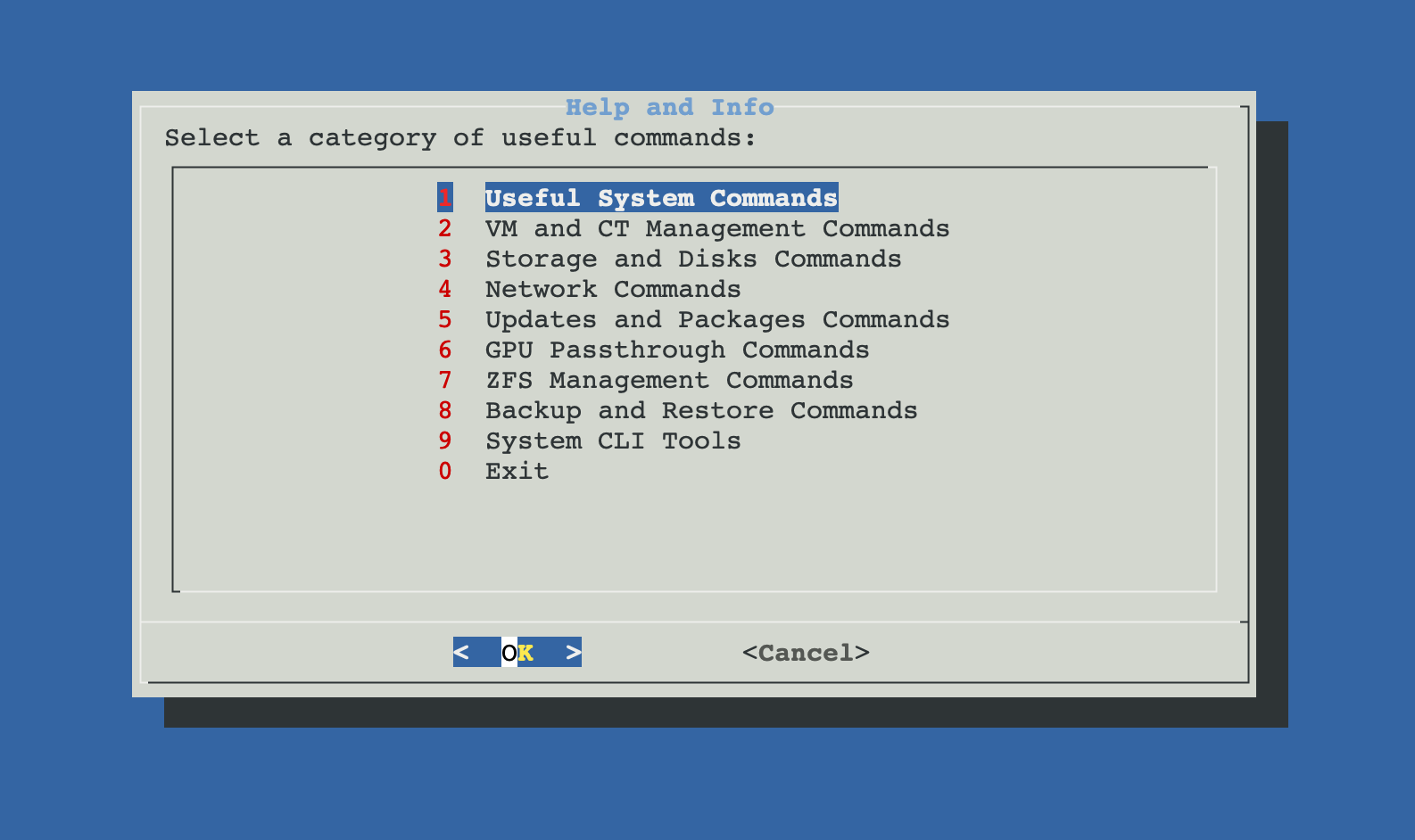
Figure 1: Help and Info interactive command reference menu.
-
Uninstaller for Post-Install Utilities
A new script has been added to the Post-Installation menu, allowing users to uninstall utilities or packages that were previously installed through the post-install script.
Improved
-
Utility Selection Menu in Post-Installation Script
TheInstall Common System Utilitiessection now includes a menu where users can choose which utilities to install, instead of installing all by default. This gives more control over what gets added to the system. -
Old PV Header Detection and Auto-Fix
After updating the system, the post-update script now includes a security check for physical disks with outdated LVM PV (Physical Volume) headers.
This issue can occur when virtual machines have passthrough access to disks and unintentionally modify volume metadata. The script now detects and automatically updates these headers.
If any error occurs during the process, a warning is shown to the user. -
Faster Translations in Menus
Several post-installation menus with auto-translations have been optimized to reduce loading times and improve user experience.
2025-04-14
Added
- New Script: Disk Passthrough to a CT Introduced a new script that enables assigning a dedicated physical disk to a container (CT) in Proxmox VE. This utility lists available physical disks (excluding system and mounted disks), allows the user to select a container and one disk, and then formats or reuses the disk before mounting it inside the CT at a specified path. It supports detection of existing filesystems and ensures permissions are properly configured. Ideal for use cases such as Samba, Nextcloud, or video surveillance containers.
Improved
- Visual Identification of Disks for Passthrough to VMs Enhanced the disk detection logic in the Disk Passthrough to a VM script by including visual indicators and metadata. Disks now display tags like ⚠ In use, ⚠ RAID, ⚠ LVM, or ⚠ ZFS, making it easier to recognize their current status at a glance. This helps prevent selection mistakes and improves clarity for the user.
2025-03-24
Improved
-
Improved the logic for detecting physical disks in the Disk Passthrough to a VM script. Previously, the script would display disks that were already mounted in the system on some setups. This update ensures that only unmounted disks are shown in Proxmox, preventing confusion and potential conflicts.
-
This improvement ensures that disks already mounted or assigned to other VMs are excluded from the list of available disks, providing a more accurate and reliable selection process.
[1.1.1] - 2025-03-21
Improved
- Improved the logic of the post-install script to prevent overwriting or adding duplicate settings if similar settings are already configured by the user.
- Added a warning note to the documentation explaining that using different post-installation scripts is not recommended to avoid conflicts and duplicated settings.
Added
-
Create Synology DSM VM:
A new script that creates a VM to install Synology DSM. The script automates the process of downloading three different loaders with the option to use a custom loader provided by the user from the local storage options.
Additionally, it allows the use of both virtual and physical disks, which are automatically assigned by the script.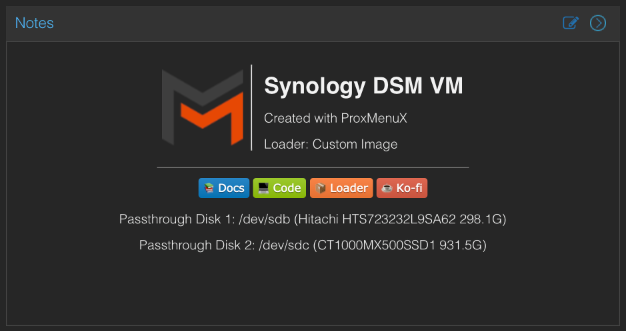
Figure 1: Synology DSM VM setup overview.
-
New VM Creation Menu:
A new menu has been created to enable VM creation from templates or custom scripts. -
Main Menu Update:
Added a new entry to the main menu for accessing the VM creation menu from templates or scripts.
2025-03-06
Added
- Completed the web documentation section to expand information on updated scripts.
[1.1.0] - 2025-03-04
Added
- Created a customizable post-install script for Proxmox with 10 sections and 35 different selectable options.
[1.0.7] - 2025-02-17
Added
- Created a menu with essential scripts from the Proxmox VE Helper-Scripts community.
[1.0.6] - 2025-02-10
Added
- Added real-time translation support using Google Translate.
- Modified existing scripts to support multiple languages.
- Updated installation script to install and configure:
jq(for handling JSON data)- Python 3 and virtual environment (required for translations)
- Google Translate (
googletrans) (for multi-language support)
- Introduced support for the following languages:
- English
- Spanish
- French
- German
- Italian
- Portuguese
- Created a utility script for auxiliary functions that support the execution of menus and scripts.
[1.0.5] - 2025-01-31
Added
- Added the Repair Network script, which includes:
- Verify Network
- Show IP Information
- Created the Network Menu to manage network-related functions.
[1.0.4] - 2025-01-20
Added
- Created a script to add a passthrough disk to a VM.
- Created the Storage Menu to manage storage-related functions.
[1.0.3] - 2025-01-13
Added
- Created a script to import disk images into a VM.
[1.0.2] - 2025-01-09
Modified
- Updated the Coral TPU configuration script to:
- Also include Intel iGPU setup.
- Install GPU drivers for video surveillance applications to support VAAPI and QuickSync.
- Added a function to uninstall ProxMenux.
[1.0.1] - 2025-01-03
Added
- Created a script to add Coral TPU support in an LXC for use in video surveillance programs.
[1.0.0] - 2024-12-18
Added
- Initial release of ProxMenux.
- Created a script to add Coral TPU drivers to Proxmox.